
AI Set Variables
About AI Set Variables
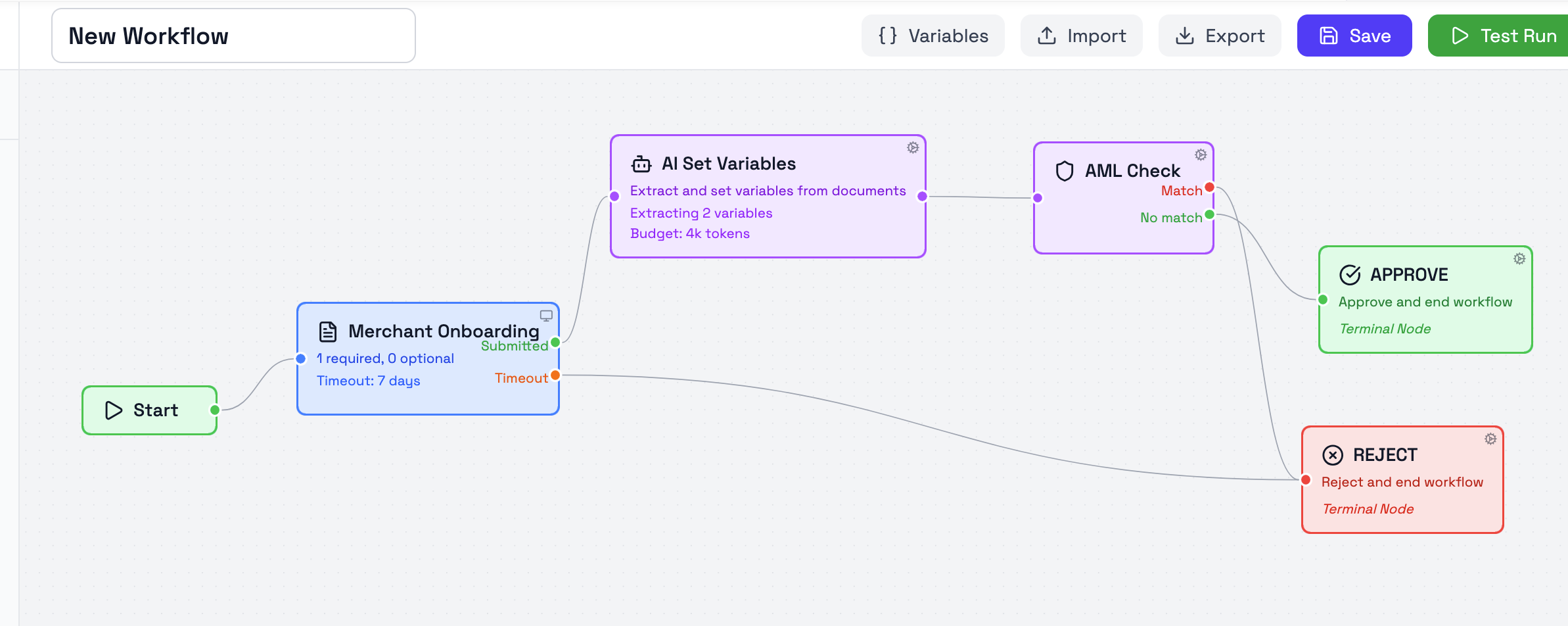
The AI Set Variables node is used to extract values from documents and save them as workflow variables.
It is placed after a Document Collection node and is used when the workflow needs structured values from uploaded documents for later steps, decisions, or checks.
How AI Set Variables works
After the document(s) have been submitted, the workflow executes this node in the background to extract variables for use in later nodes.
The extracted values are then saved as workflow variables and can be used in later nodes. For example, extracted values can be passed into an AML Check node, used in routing logic, or referenced elsewhere in the workflow.
The node processes all documents collected across all upstream Document Collection nodes. If multiple Document Collection nodes are present in your workflow before this node, the AI will evaluate documents from each collection. If your workflow includes multiple AI Set Variables nodes, each one will independently extract the specified variables from the available documents.
Variables to Extract
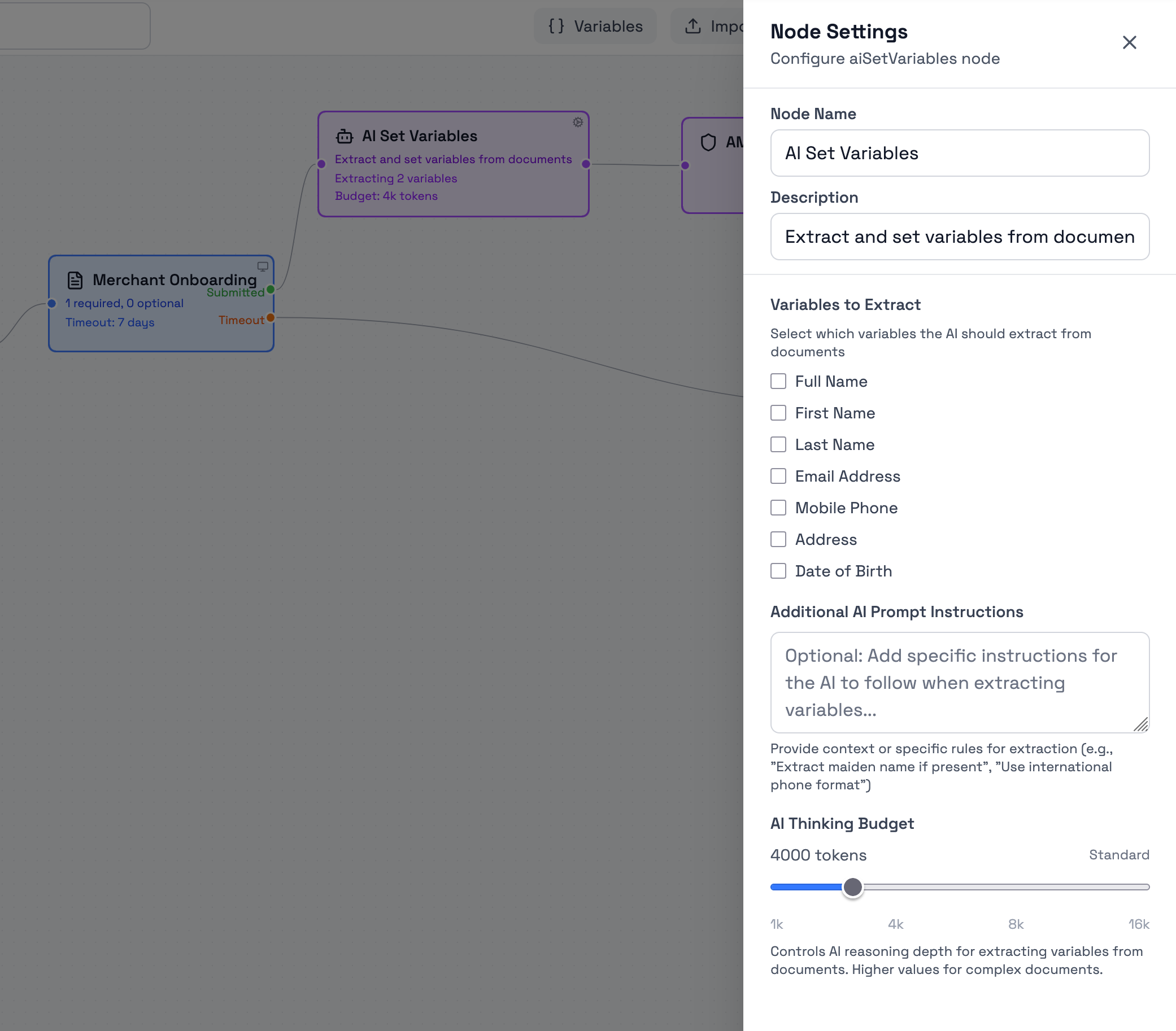
The node currently supports the following extraction fields:
- Full Name
- First Name
- Last Name
- Email Address
- Mobile Phone
- Address
- Date of Birth
These are the standard values that can be selected directly in the node settings.
Additional AI Prompt Instructions
The Additional AI Prompt Instructions field can be used to provide extra extraction instructions to the AI.
This is useful when the workflow needs to extract information that is not covered by the standard checkboxes, or when the extraction should follow a more specific rule.
Examples include:
- extracting a maiden name if present
- returning a phone number in international format
- prioritizing one value if multiple similar values appear in the document
- extracting a value from a specific section of the document
This field is optional.
AI Thinking Budget
The AI Thinking Budget controls how much reasoning depth is used for the extraction step.
Higher values can be useful when the document is more complex, when the extraction instructions are more specific, or when the workflow depends on a more careful interpretation of the document.
The current scale shown in the node settings is:
- 1k
- 4k
- 8k
- 16k
The standard budget is set to 4k tokens.
Example guidance
The right budget depends on document complexity and on how precise the extraction needs to be. The following examples can be used as practical guidance:
-
1k tokens
Suitable for simple documents with one clear source of information, such as a basic form or a straightforward ID document where only one or two standard values need to be extracted. -
4k tokens
Suitable for most standard document extraction cases, such as passports, utility bills, invoices, or account statements where the workflow needs a small set of clearly defined values. -
8k tokens
Suitable for more complex documents or more specific instructions, such as multi-section documents, mixed layouts, or extraction tasks where the AI needs to interpret context more carefully. -
16k tokens
Suitable for the most complex extraction cases, such as dense documents, unusual formats, or workflows using detailed prompt instructions where extraction quality is more important than speed.
These examples are guidance rather than fixed rules. In practice, the best budget depends on the document type, the quality of the uploaded file, and how strict the workflow requirements are. If the thinking budget is too low for complex extraction, the AI may return incomplete or null values for variables.
Updated 4 months ago