
Trigger Nodes
About Trigger Nodes
Trigger nodes define how a workflow starts in Bynn’s Intelligent Data Collection Tool.
A workflow can only have one trigger. The selected trigger determines how the workflow begins and what type of flow can follow after it.
Some triggers are intended for visitor-facing workflows, while others are intended for service or background-driven flows.
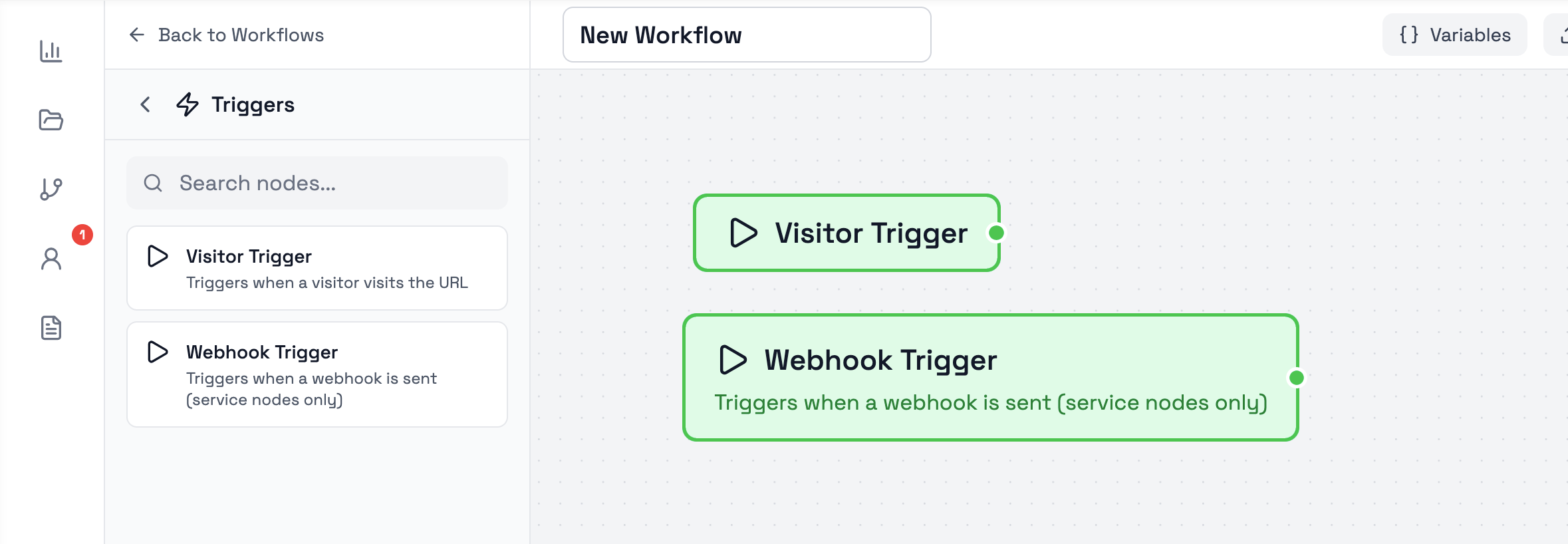
Visitor Trigger
The Visitor Trigger starts the workflow when a visitor visits the workflow URL.
This is the trigger used for visitor-facing workflows. In a new workflow, the default Start node represents the same type of visitor entry behavior. If the Start node is removed, a Visitor Trigger can be added and used in the same way.
Visitor-based flows are launched through the workflow’s Data Collection Link.
The Visitor Trigger can only connect to UI nodes that display content to users.
Webhook Trigger
The Webhook Trigger starts the workflow when a webhook is sent.
This trigger is intended for worker or background-driven flows rather than visitor-facing entry. Because of this, it cannot connect to UI nodes.
The Webhook Trigger can only connect to worker nodes or decision nodes.
Next Steps
Trigger nodes define how a workflow starts. After the trigger is selected, the rest of the workflow is built by connecting the appropriate user-facing, worker, flow, or decision nodes.
Recommended follow-up pages:
- Bynn Services Nodes
- Action Nodes
- Flow Nodes
- Decision Nodes
Updated 4 months ago