
Fraud Analysis Agents
Fraud Analysis Agents are specialized agents used by Orchestrator Agents during Agentic Fraud Reasoning.
Use this page as a reference for the Fraud Analysis Agents area in the dashboard. For first-time setup, see the Quick start guide.
Fraud Analysis Agents page
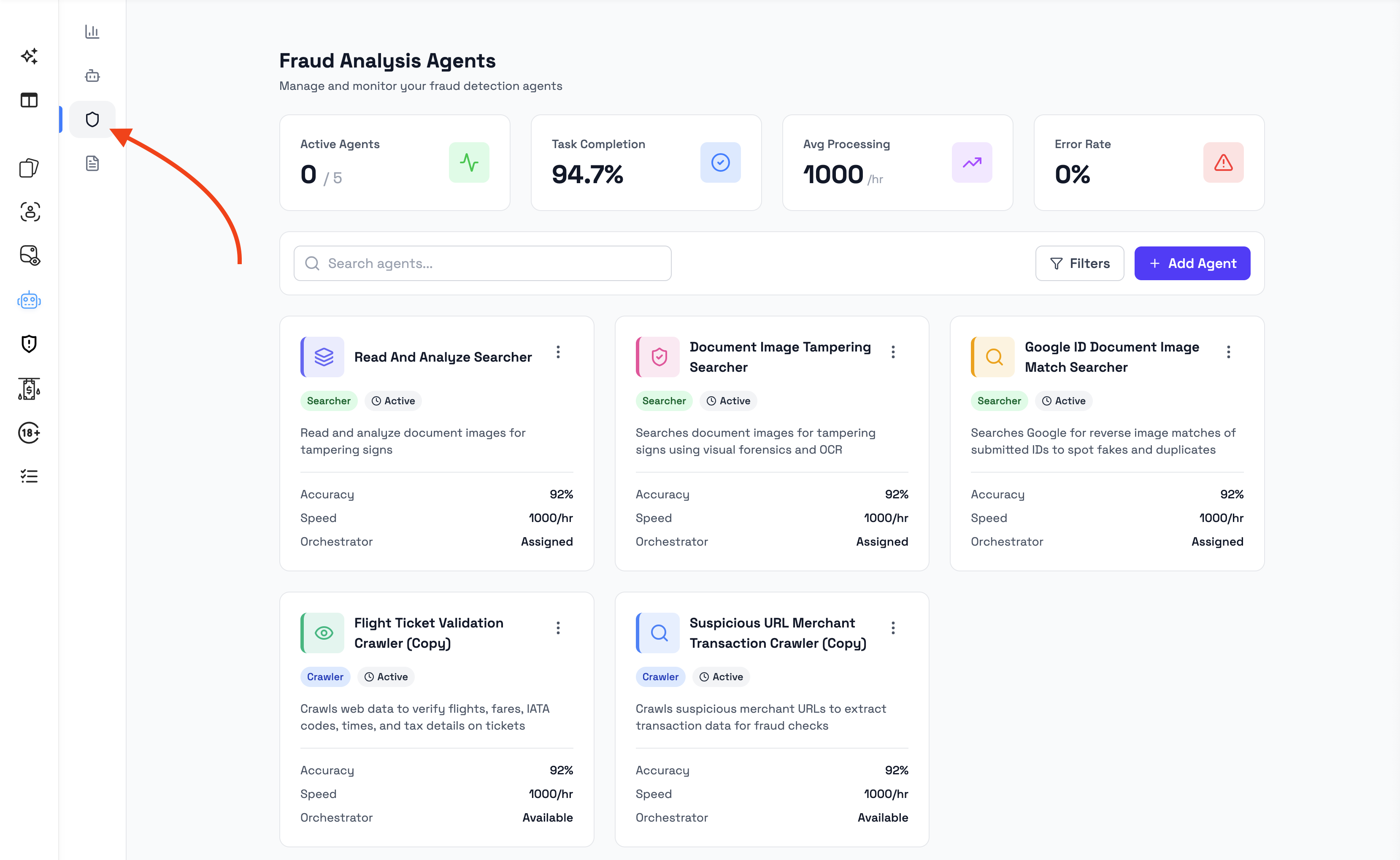
The Fraud Analysis Agents page shows the agents available in your workspace.
From this page, admins can:
- view existing Fraud Analysis Agents
- search and filter agents
- see which agents are active
- review agent type and status
- review performance indicators
- see whether an agent is assigned to an orchestrator
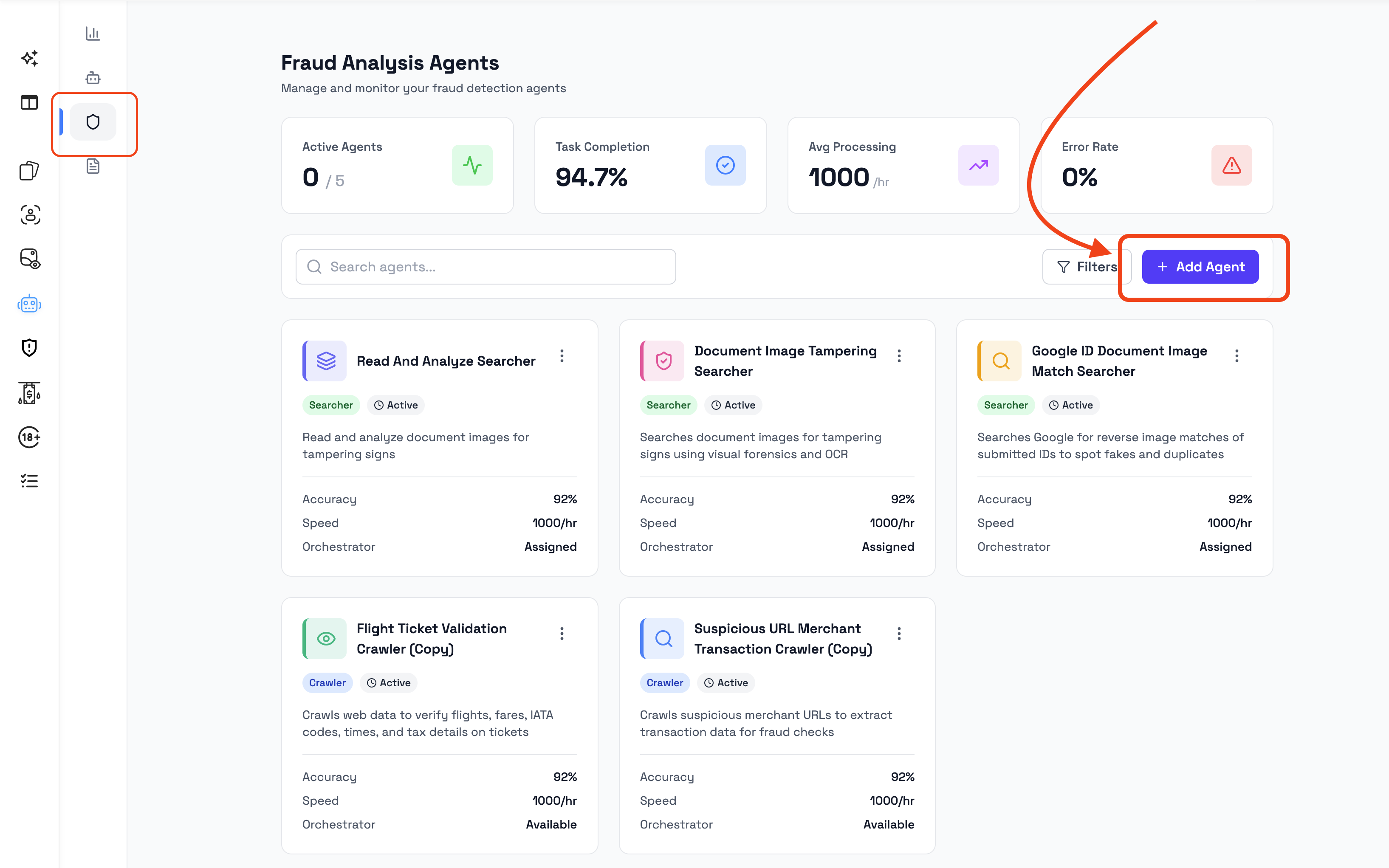
- add agents from the Agent Marketplace
- create new agents, if available in the workspace
Overview metrics
The top of the Fraud Analysis Agents page can show summary metrics for the workspace.
| Metric | Description |
|---|---|
| Active Agents | Number of Fraud Analysis Agents currently active in the workspace. |
| Tasks Completed | Number of analysis tasks completed by agents. |
| Avg Processing | Average processing time for agent tasks. |
| Error Rate | Percentage of agent tasks that resulted in an error. |
These metrics help admins understand the overall activity and performance of Fraud Analysis Agents in the workspace.
Search and filters
The Fraud Analysis Agents page includes search and filter controls.
Use these controls to find agents by name, type, status, or assignment.
Common controls can include:
- search field
- agent type filter
- status filter
- orchestration or assignment filter
These controls are useful when the workspace contains multiple agents or when admins need to find agents assigned to a specific orchestrator.
Agent card
Each Fraud Analysis Agent is displayed as a card.
An agent card can show:
| Field | Description |
|---|---|
| Name | The agent name. |
| Description | A short explanation of what the agent is designed to do. |
| Type | The agent type, such as Searcher or Crawler. |
| Status | Whether the agent is active or inactive. |
| Accuracy | Performance indicator shown for the agent, if available. |
| Speed | Processing speed indicator shown for the agent, if available. |
| Orchestrator | Shows whether the agent is assigned to an orchestrator. |
| Actions | Available actions for managing the agent. |
The card helps admins quickly understand what the agent is used for and whether it is available for orchestration.
Agent types
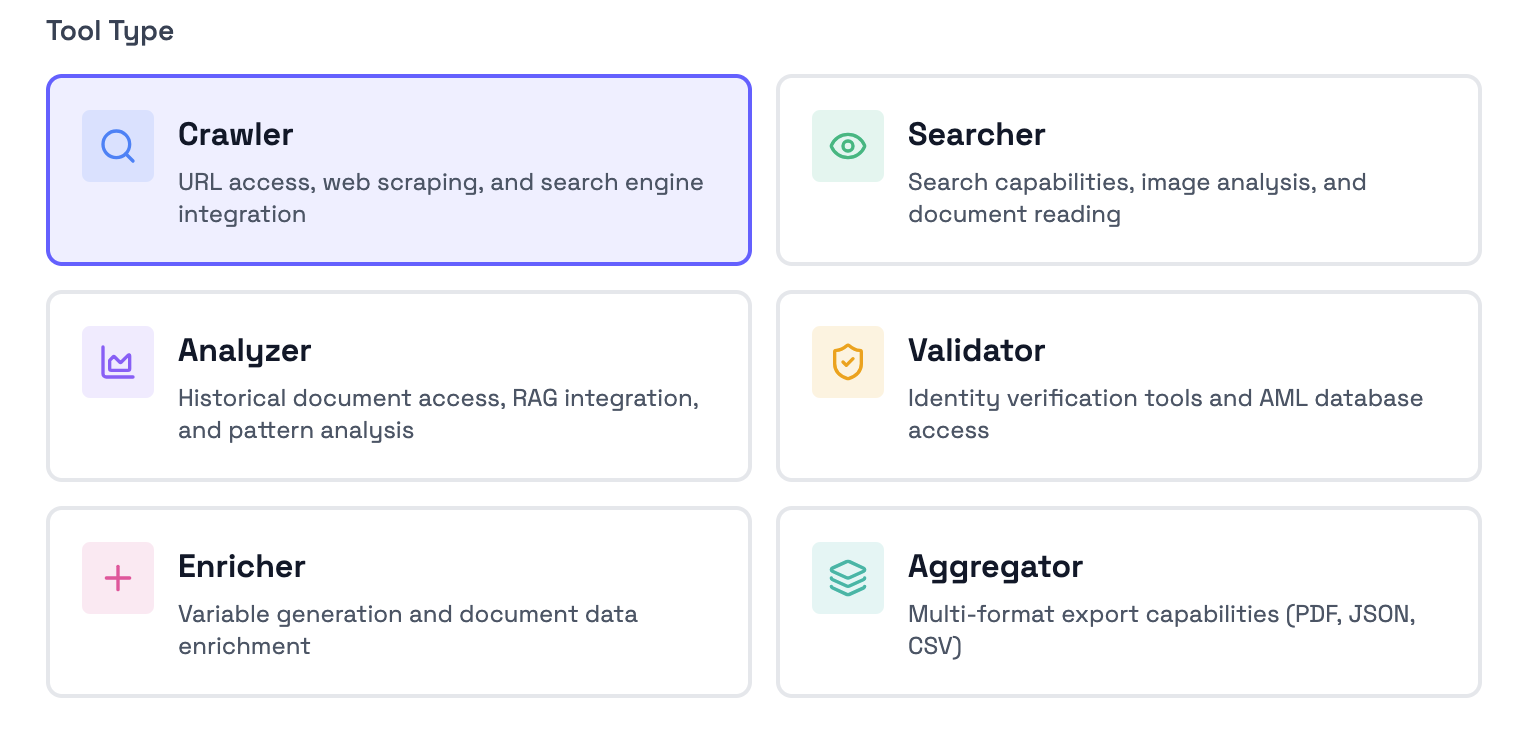
Fraud Analysis Agents can have different types depending on their role.
Examples of visible agent types may include:
- Searcher - Search capabilities, image analysis, and document reader
- Crawler - URL access, web scraping, and search engine integration
- Analyzer - Historical document access, RAG integration, and pattern analysis
- Validator - Identity verification tools and AML database access
- Enricher - Variable generation and document data enrichment
- Aggregator - Multi-format export capabilities (PDF, JSON, CSV.
The available agent types depend on the workspace configuration and the agents added to the workspace.
Use the agent type as a quick way to understand the general role of an agent before assigning it to an orchestrator.
Agent status
Agent status shows whether an agent is currently available for use.
| Status | Description |
|---|---|
| Active | The agent is available and can be assigned to an orchestrator. |
| Inactive | The agent is not currently available for orchestration. |
Before assigning an agent to an orchestrator, check that the agent is active and suitable for the orchestrator’s document review purpose.
Orchestrator assignment
The Orchestrator field shows whether a Fraud Analysis Agent is assigned to an Orchestrator Agent.
An agent may show:
- the name of the orchestrator it is assigned to
- an unassigned state if it is not connected to an orchestrator
Fraud Analysis Agents need to be assigned to an Orchestrator Agent before they can contribute to that orchestrator’s fraud reasoning analysis.
For detailed orchestration setup, see the Orchestrator Agents guide.
Add Fraud Analysis Agents
Fraud Analysis Agents can be added in two ways:
- from the Agent Marketplace
- by creating a new Fraud Analysis Agent from scratch, if available in your workspace
Use the Agent Marketplace when a suitable existing agent is available for your use case.
Create a new Fraud Analysis Agent when you need an agent for a specific document type, risk scenario, or internal review process.
Agent Marketplace
The Agent Marketplace allows admins to discover and add available agents.
Use marketplace agents when they match a broader fraud analysis use case and do not require a fully custom setup.
Marketplace agents can help teams get started faster by adding existing agents instead of creating every agent manually.
Create a new Fraud Analysis Agent
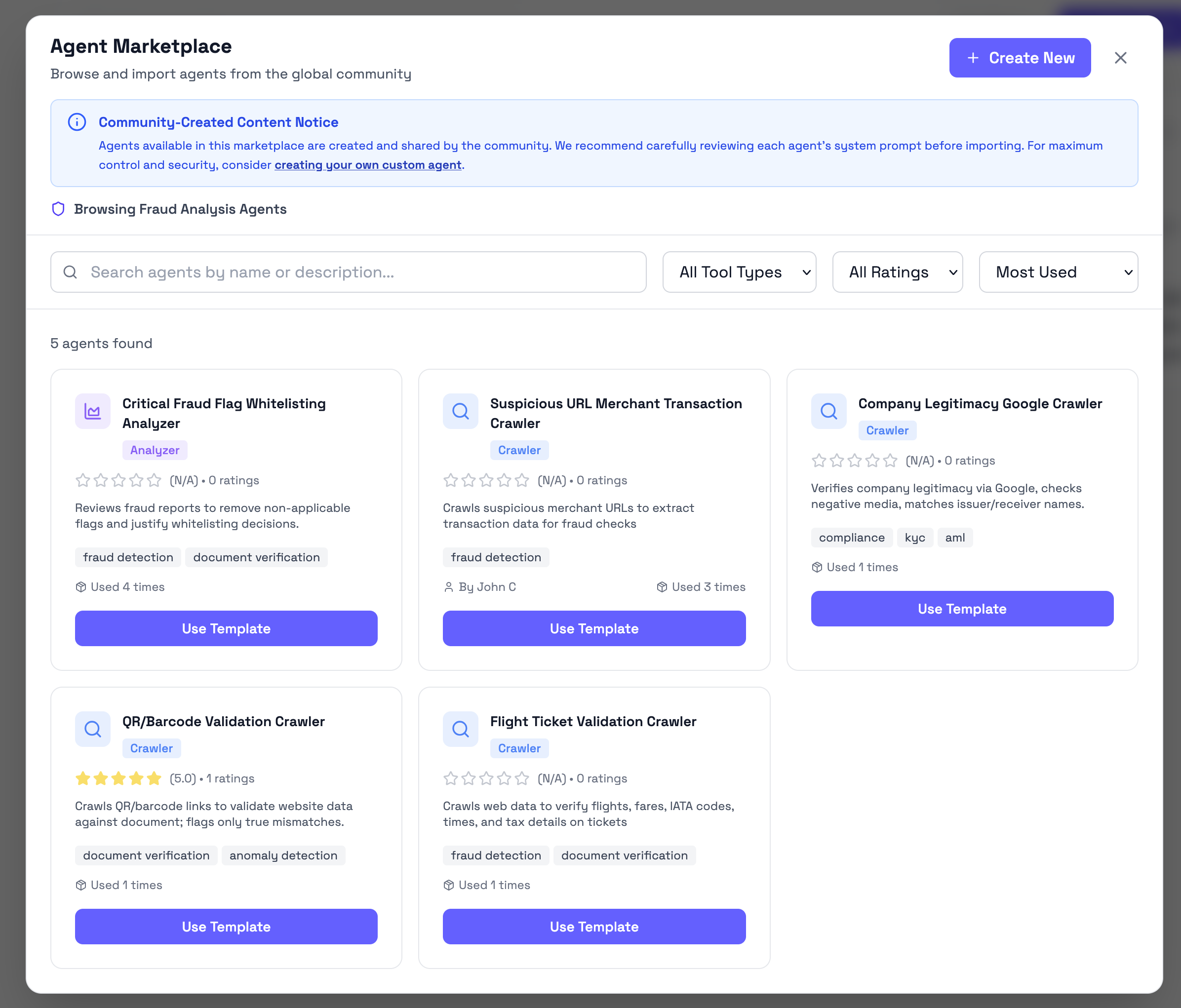
If the workspace supports custom agent creation, admins can create a new Fraud Analysis Agent from scratch.
A custom agent is useful when your organization needs an agent for a specific review process, document category, or fraud analysis purpose.
When creating an agent, define its purpose clearly so it can be assigned to the right orchestrator later.
A good agent purpose should explain:
- what type of task the agent performs
- what document or risk area it is focused on
- what kind of findings it should contribute
- when it should be used by an orchestrator
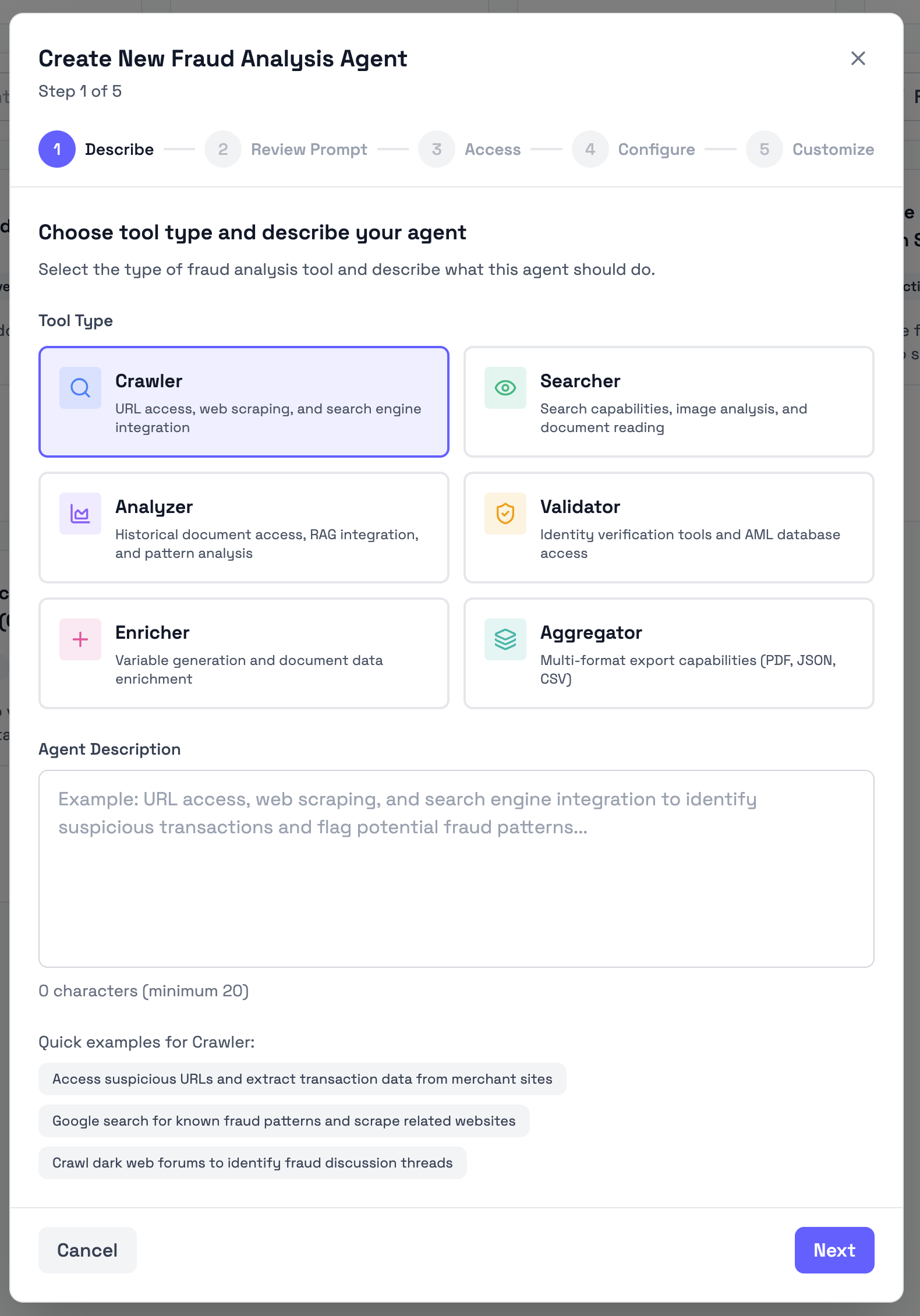
Example agent descriptions
Use these examples as starting points when creating custom Fraud Analysis Agents.
Identity document search agent
Search for relevant identity document signals and context that may help assess whether a submitted passport, ID card, or driver license requires further review.Document consistency agent
Review submitted documents for consistency issues, missing information, and visible details that may require manual review before the document is accepted.Merchant document review agent
Analyze merchant onboarding documents for risk indicators, inconsistencies, and supporting evidence that may affect the onboarding decision.Financial document review agent
Review financial documents such as bank statements or invoices for suspicious indicators, inconsistent information, or signs that the document may require manual review.Travel document review agent
Review flight tickets and travel-related documents for consistency, readability, and indicators that the document may not match the expected travel information.Writing a good agent description
A good Fraud Analysis Agent description should be:
- specific about the agent’s role
- clear about what the agent should review
- focused on one type of analysis task
- practical for the orchestrator that will use it
Avoid descriptions that are too broad.
Good example
Review submitted bank statements for visible inconsistencies, missing context, and suspicious indicators that may require manual review before the document is accepted.Poor example
Analyze fraud.The poor example is too vague. It does not explain what the agent should analyze, what type of document it applies to, or what findings it should contribute.
Assigning agents to orchestrators
Fraud Analysis Agents are assigned to Orchestrator Agents.
The orchestrator coordinates the assigned agents and uses their findings when producing the final fraud reasoning result.
When assigning agents, choose agents that match the orchestrator’s purpose.
For example:
- an identity document orchestrator should use agents suited for identity document review
- a bank statement orchestrator should use agents suited for financial document review
- a merchant onboarding orchestrator should use agents suited for merchant or business document review
Do not assign agents only because they are available. Assign agents because their role is relevant to the orchestrator’s document types and review purpose.
Performance indicators
Fraud Analysis Agent cards shows performance indicators such as accuracy and speed.
These indicators help admins compare agents and understand how they are performing in the workspace.
Use performance indicators as supporting information when deciding which agents to assign to an orchestrator.
Performance indicators should be reviewed together with the agent’s purpose, type, status, and assignment.
Updated 3 months ago