
Workflow Nodes
About Workflow Nodes
Workflow nodes are the building blocks used to define how a workflow behaves in Bynn’s Intelligent Data Collection Tool.
Each node represents a step in the workflow. By placing nodes on the canvas and connecting them together, users define how the workflow starts, how it moves between steps, and how it reaches an outcome.
Nodes can represent different types of behavior. Some are shown directly to the end user, while others run in the background as part of the workflow logic.
Inputs and Outputs
Nodes are connected through inputs and outputs.
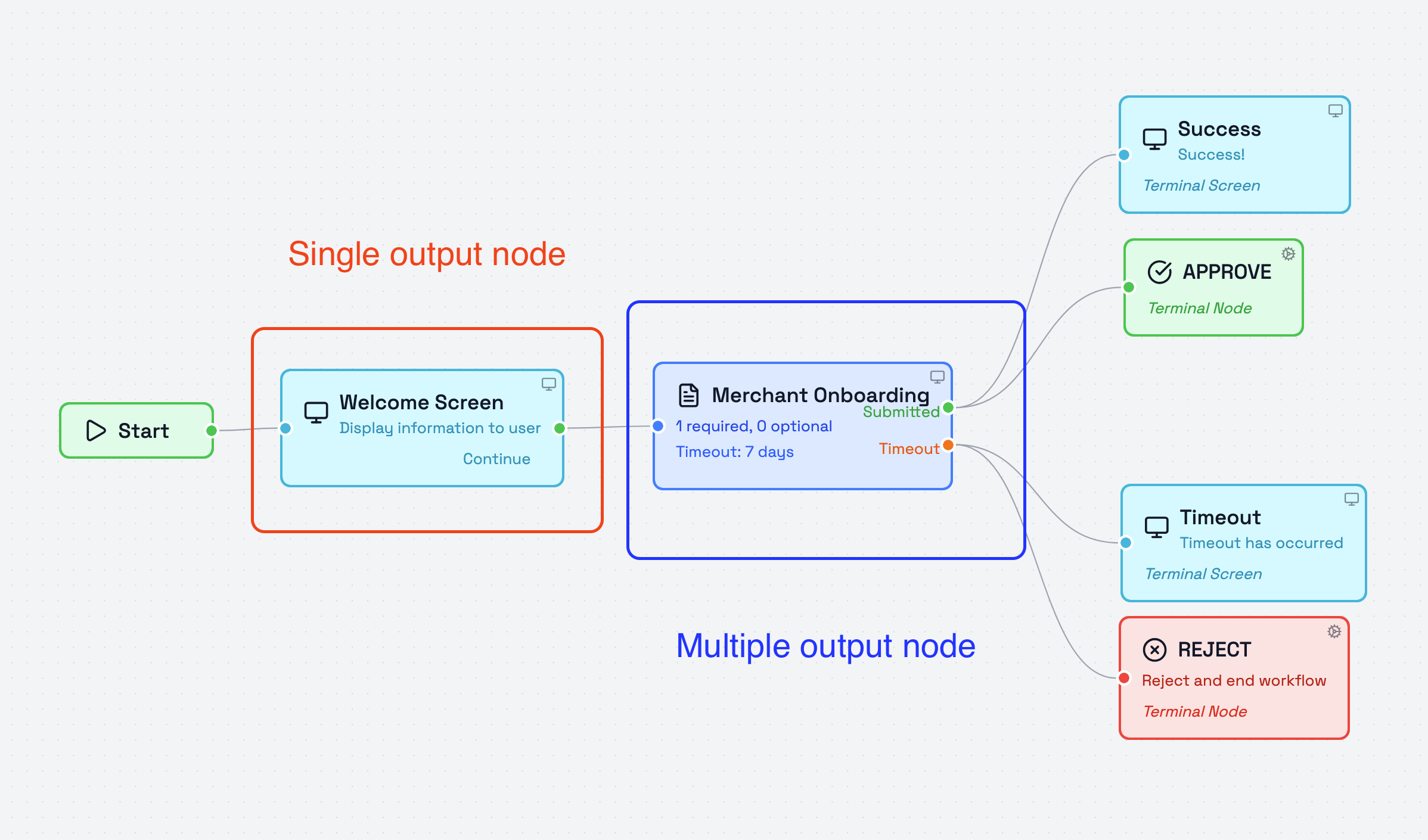
An output defines where the workflow continues next, while an input defines where a node receives flow from a previous step. Depending on the node type, a node may continue through a single path or through multiple possible paths.
Node structure and available connections depend on the selected node. More detailed connection behavior is covered in the node-specific documentation.
Node Categories
Nodes are grouped into categories in the node library to make them easier to find and use.
The current node categories are:
- Triggers
- AI
- Bynn Services
- Actions
- Flow
- Human in the loop
- Decisions
Each category contains nodes intended for a different type of workflow behavior.d Some are used to start the workflow.Some start the workflow, some collect information or present steps to the end user, and others handle processing, routing, or final outcomes.
User-Facing Nodes and Worker Nodes
Workflow nodes can be either user-facing or worker-based.
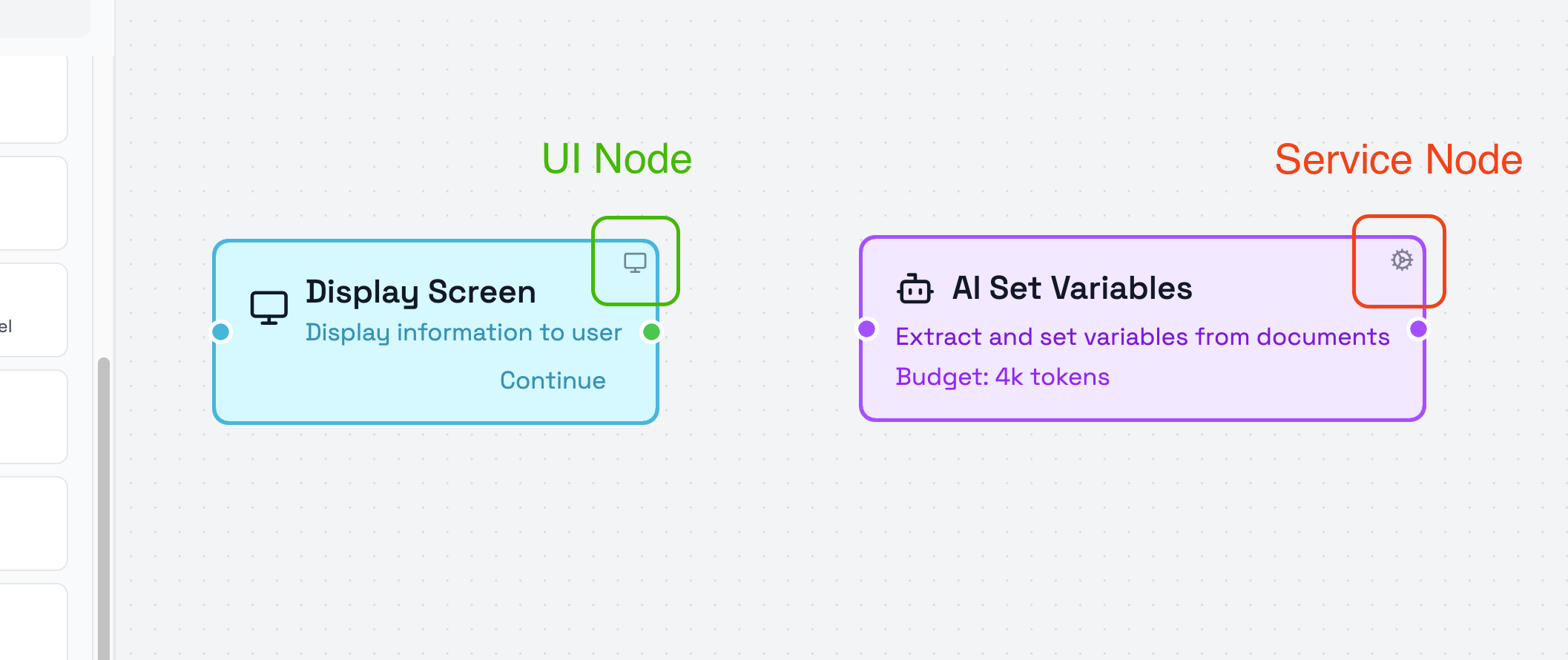
User-facing nodes are shown to the person completing the workflow. These nodes are marked with a small display icon in the top-right corner of the node.
Worker nodes run in the background as part of the workflow logic. These nodes are marked with a small cogwheel icon in the top-right corner of the node. This distinction shows whether a node is presented to the end user or runs in the background as part of the workflow logic.
Branching and Routing
A workflow can continue through different paths depending on how the nodes are configured.
Some nodes lead directly to one next step, while others can branch into different outputs. This makes it possible to build workflows that follow different paths based on user actions, processing results, decisions, timeouts, or other configured logic. Available routing options depend on the selected node and its configuration.
Node Connection Behavior
Nodes must be connected correctly for the workflow to function as intended.
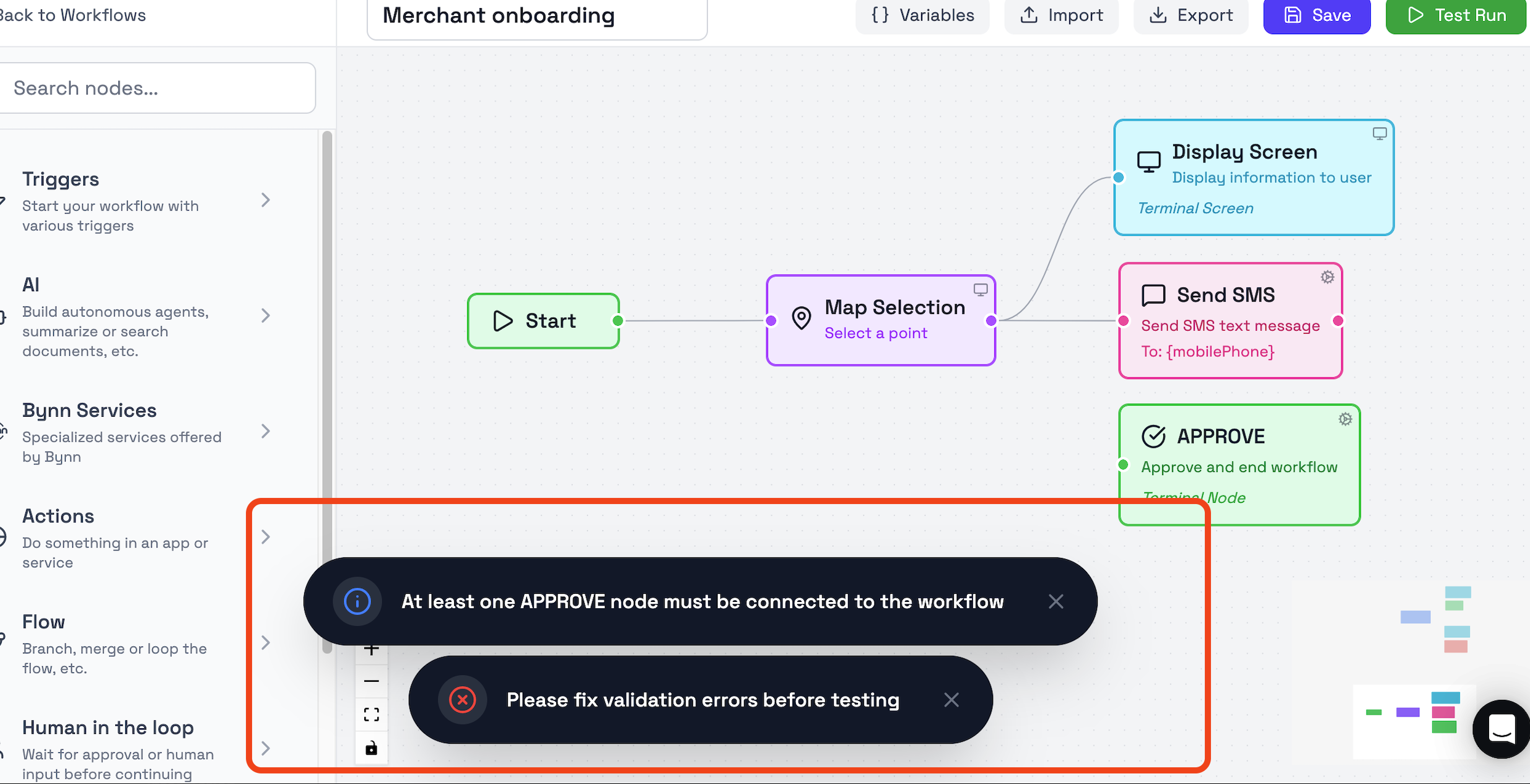
A node always needs an input connection in order to be part of the workflow path. Depending on the node type, some outputs can remain unconnected, while others must be connected before the workflow can be saved.
The builder validates this when the workflow is saved and prompts the user if required nodes or connections are missing. Some node types also have connection restrictions, which limit what they can connect to.
Next Steps
This page provides a high-level view of how nodes work in a workflow.
For more detailed information, continue to the node category pages and node-specific guides, where each type of node, its settings, outputs, and behavior are explained in more detail.
Recommended follow-up pages:
- Trigger Nodes
- AI Nodes
- Bynn Service Nodes
- Action Nodes
- Flow Nodes
- Human in the Loop Nodes
- Decision Nodes
Updated 5 months ago