
Quickstart Guide
This quick start explains the basic setup flow for using Agentic Fraud Reasoning for the first time.
Agentic Fraud Reasoning requires two main components before it can analyze documents:
- Fraud Analysis Agents — the specialized agents that perform analysis tasks.
- Orchestrator Agents — the coordinating agents that decide which Fraud Analysis Agents should be used for selected document types.
If your workspace does not already have agents or orchestrators configured, start by adding Fraud Analysis Agents first. Then create an Orchestrator Agent and assign the agents to it.
Setup flow
The recommended setup order is:
- Open the Agentic Fraud Reasoning section.
- Add or create Fraud Analysis Agents.
- Create an Orchestrator Agent.
- Describe what the orchestrator should do.
- Review or generate the orchestrator prompt.
- Select document types.
- Configure access.
- Select Fraud Analysis Agents.
- Customize the orchestrator.
- Save and test the orchestrator.
- Run analysis on matching documents.
- Review the fraud analysis result.
Before you begin
Before configuring Agentic Fraud Reasoning, decide what type of document fraud risk you want to analyze.
For example, you may want to analyze:
- identity documents
- driver licenses
- passports
- invoices
- bank statements
- flight tickets
- merchant documents
- transaction-related documents
- supporting evidence documents
This helps you choose the right Fraud Analysis Agents and describe what your Orchestrator Agent should coordinate.
Step 1: Open Agentic Fraud Reasoning
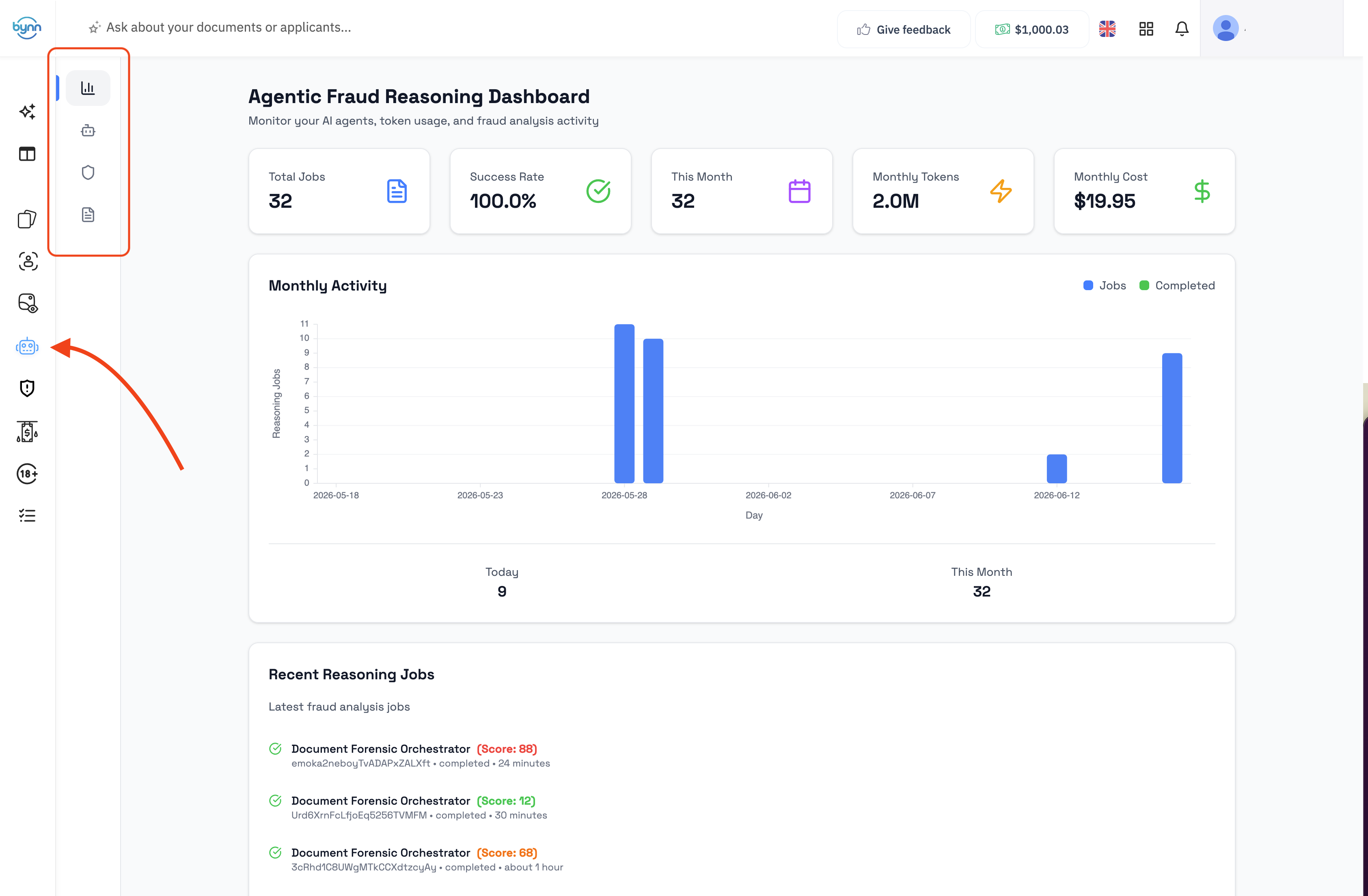
From the Bynn dashboard, open the Agentic Fraud Reasoning section.
This section contains the pages used to manage:
- Fraud Analysis Agents
- Orchestrator Agents
Step 2: Add or create Fraud Analysis Agents
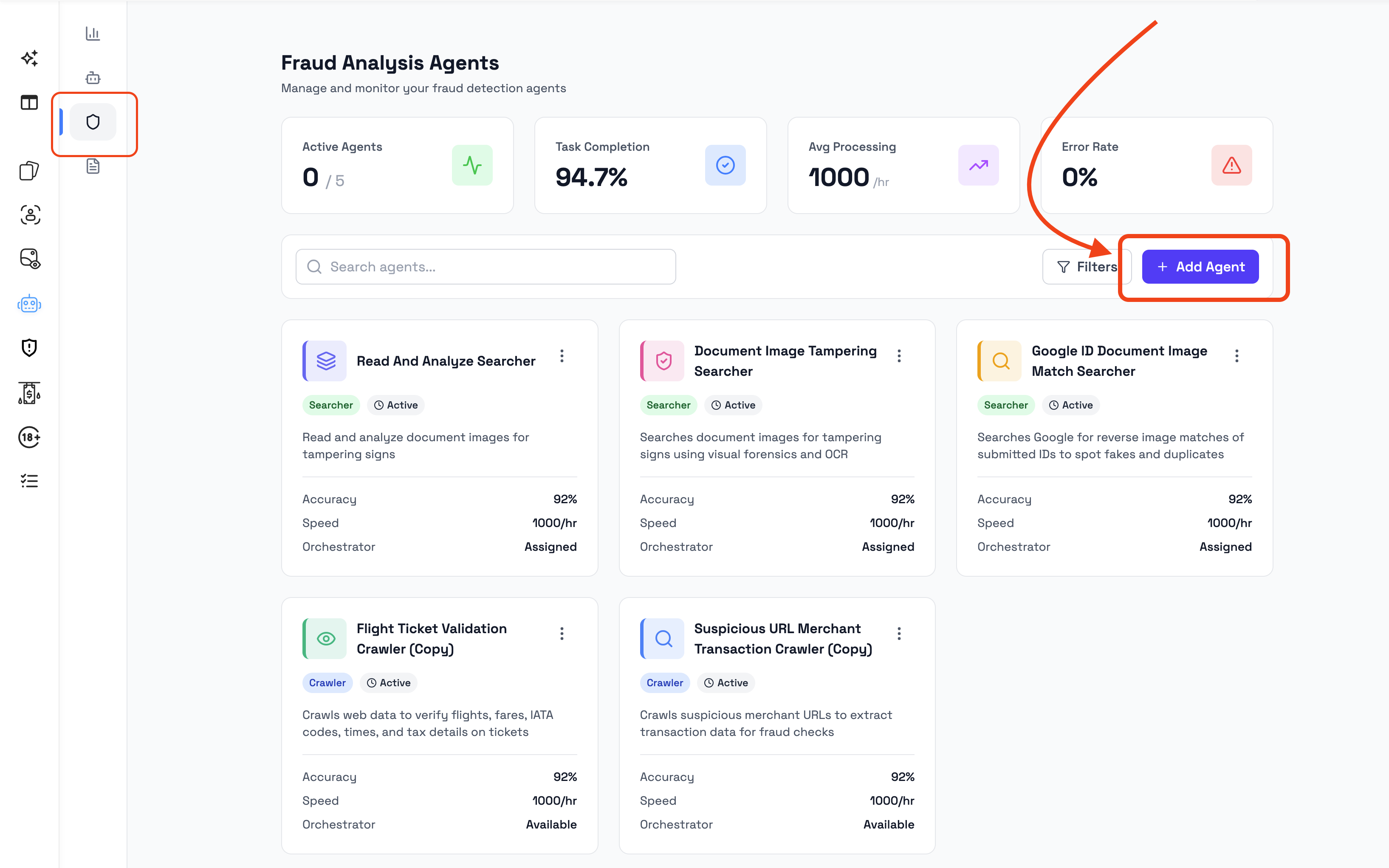
Before creating an Orchestrator Agent, make sure the Fraud Analysis Agents you want to use are available.
Fraud Analysis Agents can be added in two ways:
- from the Agent Marketplace, if suitable agents already exist
- by creating a new Fraud Analysis Agent from scratch
Fraud Analysis Agents perform the analysis tasks that the orchestrator can use later. Without available agents, an orchestrator may not have any agents to coordinate.
Examples of Fraud Analysis Agent roles may include:
- checking documents for suspicious visual indicators
- searching for related document or identity signals
- reviewing merchant or transaction-related information
- validating document-specific information
- enriching the analysis with additional context
Step 3: Create an Orchestrator Agent
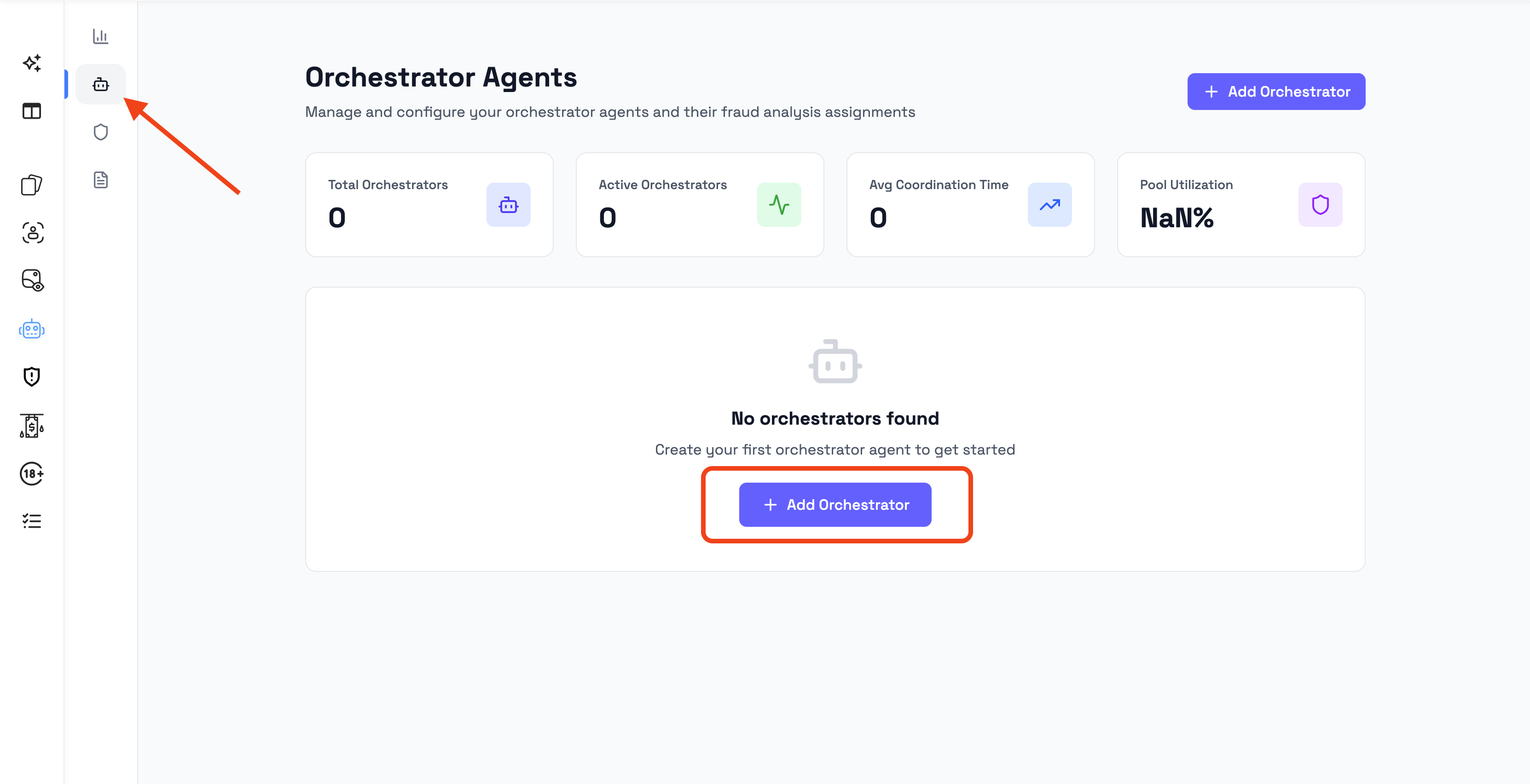
After the required Fraud Analysis Agents are available, open the Orchestrator Agents page and click Add Orchestrator.
The orchestrator setup opens as a multi-step flow.
The setup includes steps such as:
- Describe
- Review Prompt
- Doc Types
- Access
- Select Agents
- Customize
Step 4: Describe what the orchestrator should do
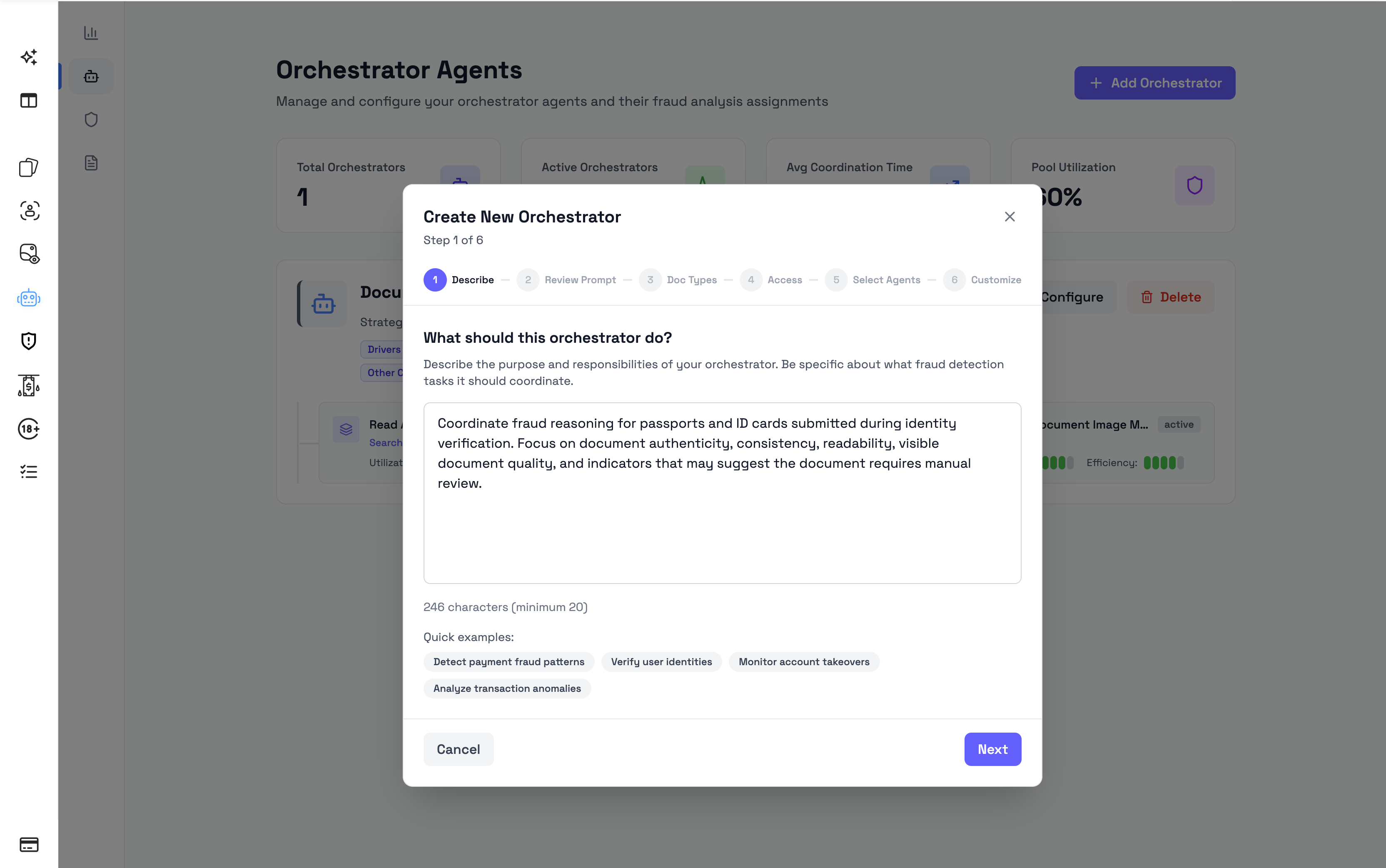
The first step asks:
What should this orchestrator do?
Use this field to describe the purpose and responsibilities of the orchestrator.
The description should explain:
- what type of fraud analysis the orchestrator should coordinate
- which documents or use cases it should focus on
- what kind of suspicious indicators it should help identify
- what outcome the orchestrator should support, such as manual review or document rejection
The description should be specific enough for the orchestrator to be configured around a clear purpose.
Example orchestrator descriptions
Use these examples as starting points and adjust them for your own use case.
Identity document fraud
Coordinate fraud analysis for identity documents such as passports, ID cards, and driver licenses. Review submitted documents for signs that they may be manipulated, inconsistent, reused, or unsuitable for identity verification. Summarize the main risk indicators and recommend whether the document should be accepted, rejected, or sent for manual review.Passport and ID card review
Coordinate fraud reasoning for passports and ID cards submitted during identity verification. Focus on document authenticity, consistency, readability, visible document quality, and indicators that may suggest the document requires manual review.Driver license verification
Coordinate fraud analysis for driver licenses. Review submitted licenses for suspicious visual indicators, inconsistent document information, and signs that the document may not be suitable for verification. Provide a clear fraud assessment with reasoning and recommended next action.Bank statement review
Coordinate fraud analysis for bank statements submitted during onboarding or verification. Review the document for signs of manipulation, inconsistent information, missing context, or other indicators that may require manual review before the statement is accepted.Invoice fraud review
Coordinate fraud reasoning for submitted invoices. Analyze the document for signs of editing, inconsistency, missing information, or suspicious details that may indicate the invoice should be reviewed manually before being accepted.Merchant documents review
Coordinate fraud analysis for merchant documents submitted during onboarding. Review the documents for authenticity concerns, inconsistencies, and risk indicators that may affect the onboarding decision. Provide a structured assessment with red flags and recommendations.Flight ticket validation
Coordinate fraud analysis for flight tickets and travel documents. Review submitted documents for consistency, readability, and signs that the document may have been altered or may not match the expected travel information.General document fraud review
Coordinate fraud analysis for submitted documents across multiple document types. Review each document for suspicious indicators, consistency issues, and evidence that may require manual review. Provide a fraud score, decision, confidence level, reasoning, and recommended next steps.Writing a good orchestrator description
A good orchestrator description should be:
- specific about the document type or use case
- clear about what the orchestrator should coordinate
- focused on fraud risk and document review
- practical for the reviewer who will use the result
Avoid descriptions that are too broad.
Good example
Coordinate fraud analysis for passports and ID cards submitted during identity verification. Review each document for authenticity concerns, consistency issues, and signs that it may require manual review. Provide a clear fraud assessment with reasoning, red flags, and recommended next action.Poor example
Check documents.The poor example is too vague. It does not explain what kind of documents should be reviewed, what risks matter, or what the orchestrator should produce.
Step 5: Review the prompt
After describing the orchestrator, the setup flow will generate or display a prompt for review.
Use this step to confirm that the orchestrator instructions match the intended use case.
Check that the prompt:
- matches the document types you plan to analyze
- focuses on the correct fraud review purpose
- does not include unrelated tasks
- is specific enough to produce useful reasoning
- supports the decision-making process your team needs
If the prompt does not match your intended use case, go back and adjust the description before continuing.
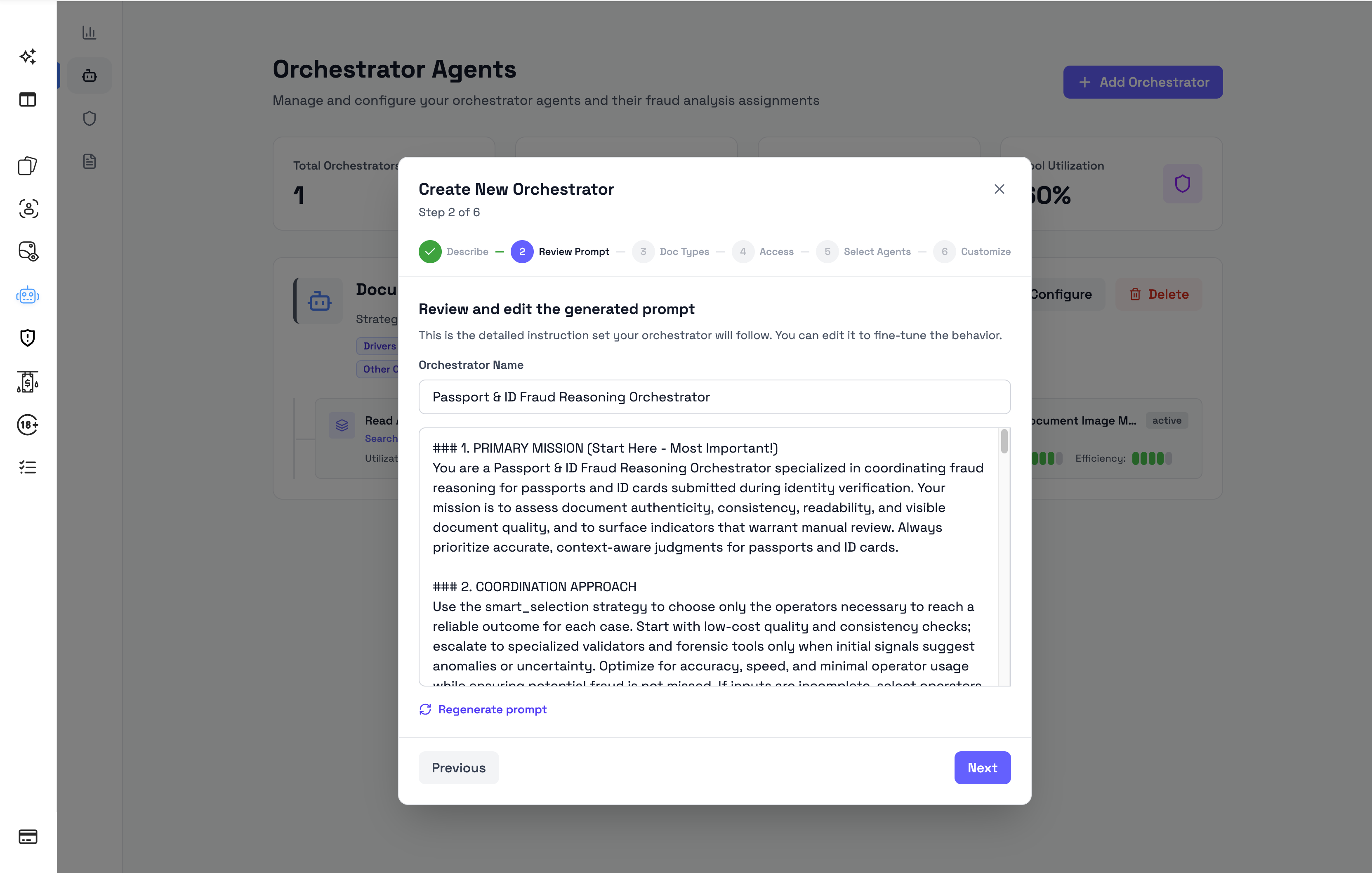
Step 6: Select document types
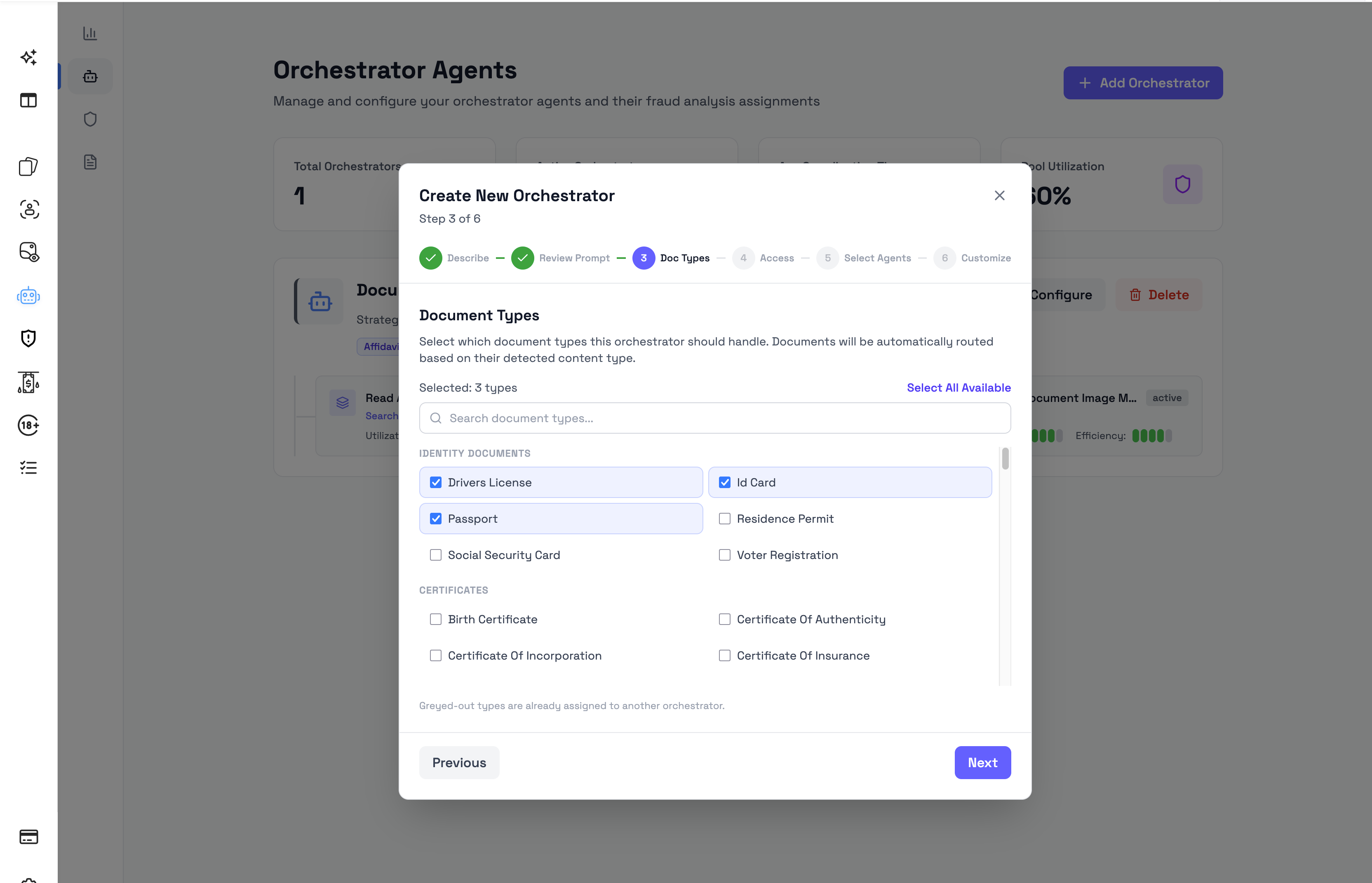
In the Doc Types step, select the document types that the orchestrator should analyze.
For example, you may assign the orchestrator to:
- passport
- ID card
- driver license
- bank statement
- invoice
- supporting document
When a submitted document matches one of the selected document types, this orchestrator can be used for Agentic Fraud Reasoning.
Use separate orchestrators when different document types need different analysis logic or different Fraud Analysis Agents.
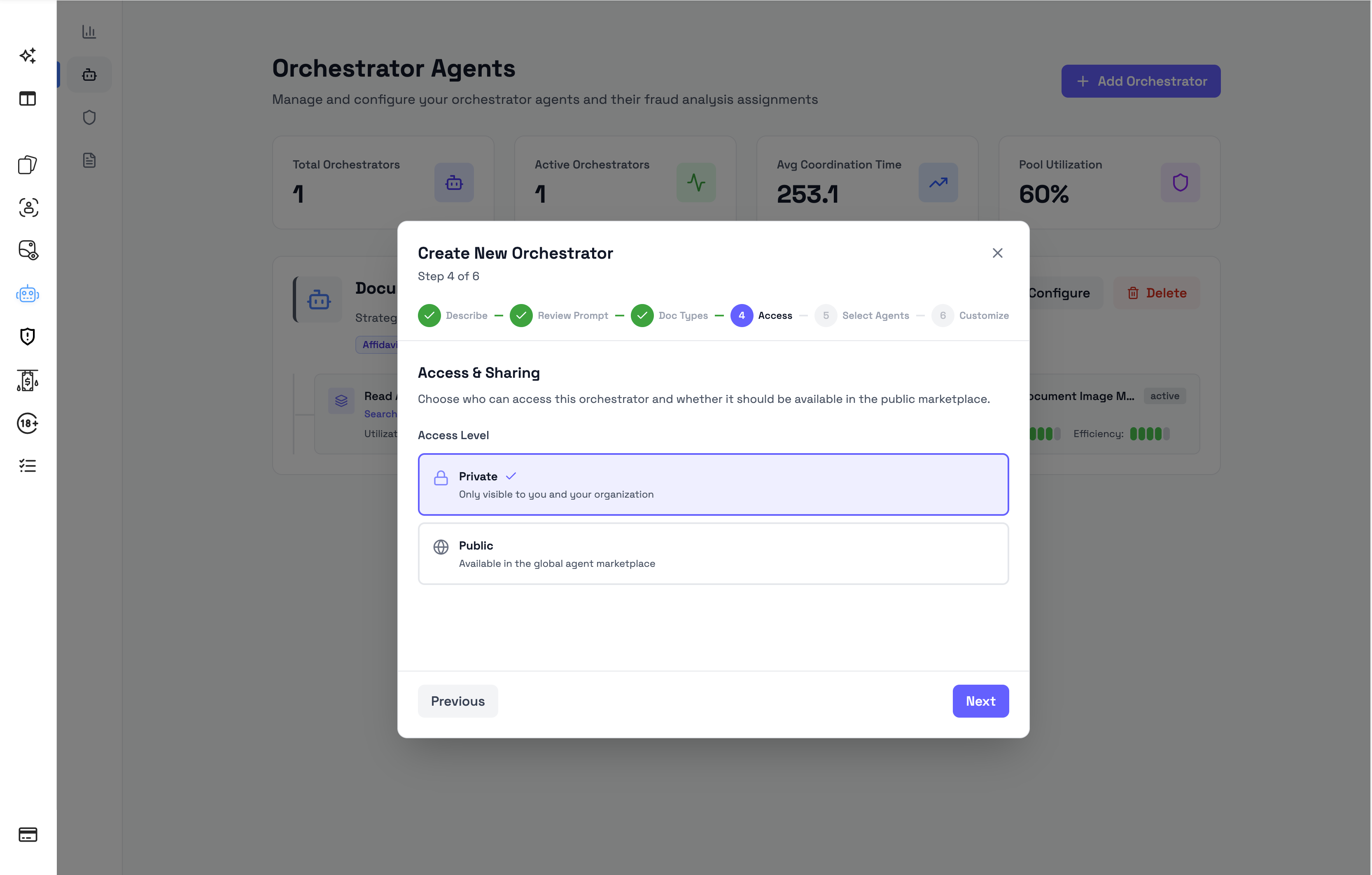
Step 7: Configure access
In the Access step, choose whether the orchestrator should be private or public.
The available options are:
| Access level | Description |
|---|---|
| Private | Only visible to you and your organization. |
| Public | Available in the global agent marketplace. |
Use Private for orchestrators that are specific to your organization, internal review process, or custom fraud analysis setup.
Use Public when the orchestrator is designed for a broader fraud detection use case and may be useful to other organizations. Sharing high-quality orchestrators in the marketplace can help improve fraud prevention across similar document review workflows.
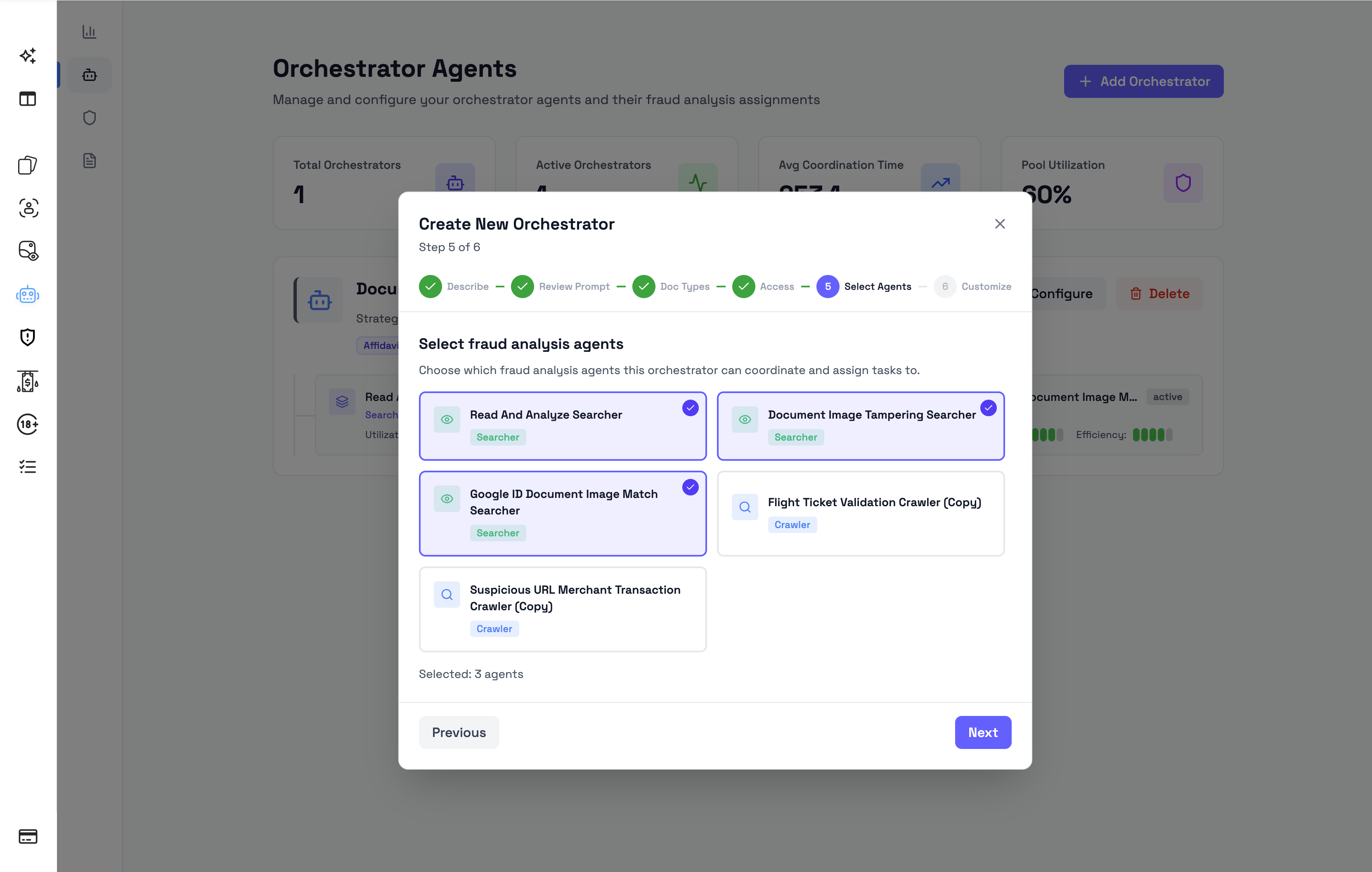
Step 8: Select Fraud Analysis Agents
In the Select Agents step, choose the Fraud Analysis Agents that should be assigned to the orchestrator.
These are the agents the orchestrator can coordinate during fraud analysis.
Choose agents that match the orchestrator’s purpose.
For example:
- an identity document orchestrator should use agents suited for identity document review
- a bank statement orchestrator should use agents suited for financial document review
If no suitable agents are available, return to the Fraud Analysis Agents page and add agents from the Agent Marketplace or create new ones.
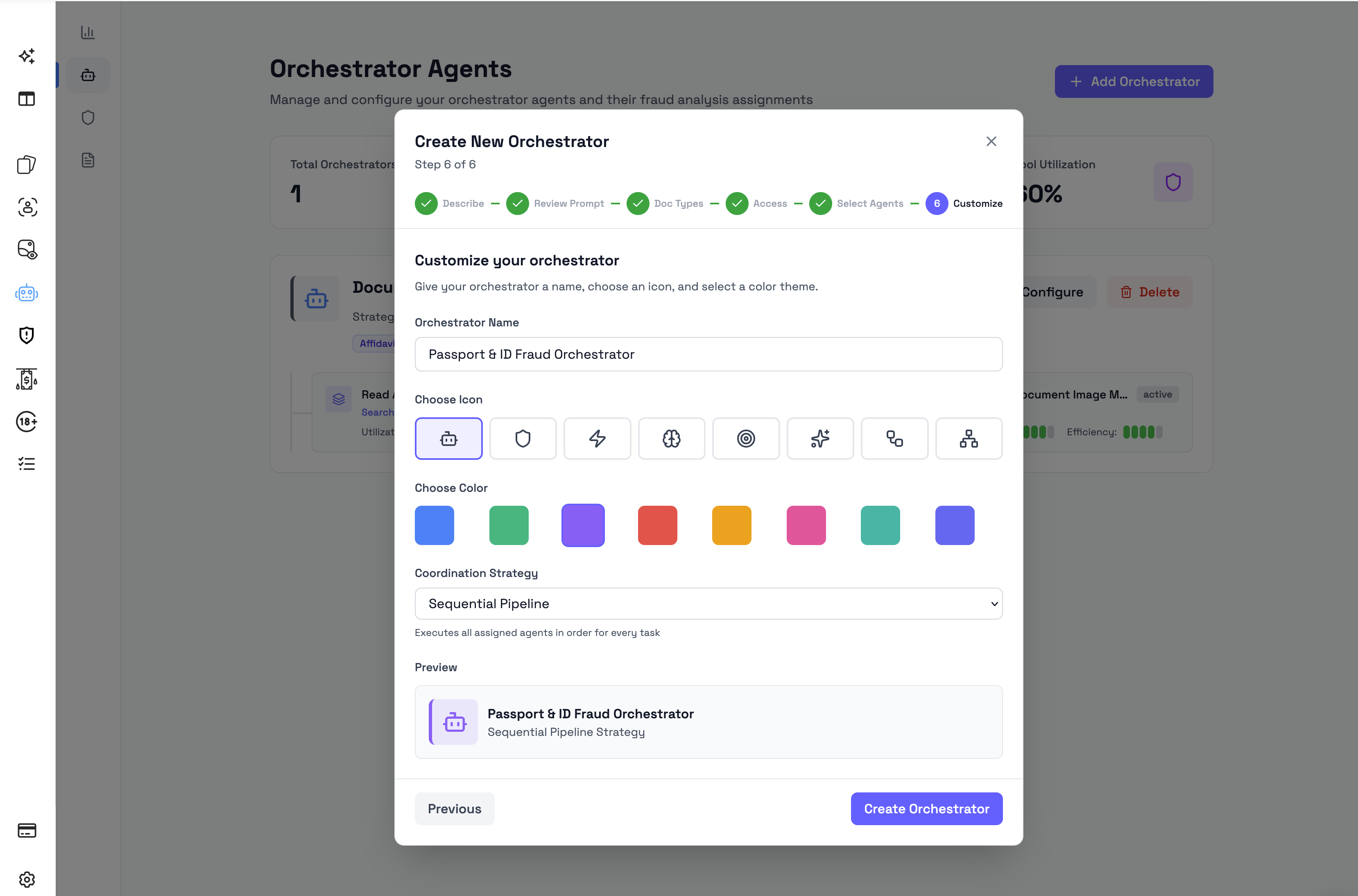
Step 9: Customize the orchestrator
In the Customize step, set how the orchestrator appears in the dashboard.
You can configure:
- Orchestrator Name
- Icon
- Color
- Coordination Strategy
The preview shows how the orchestrator will appear after it is saved.
Step 10: Save and test the orchestrator
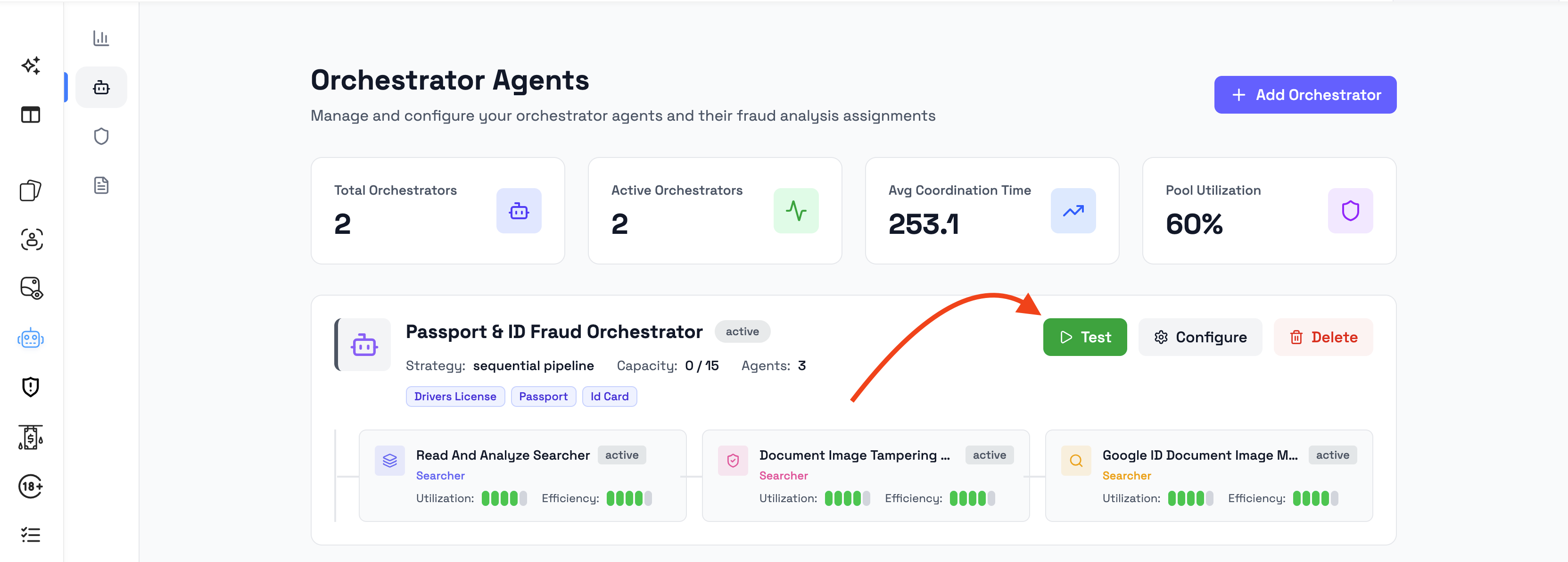
After the orchestrator is created, it appears on the Orchestrator Agents page.
If the dashboard provides a Test action, use it to test the orchestrator before relying on it for live document review.
Testing is useful when:
- creating a new orchestrator
- assigning new document types
- adding or removing Fraud Analysis Agents
- updating the orchestrator configuration
- re-running reasoning for a specific document
A successful test helps confirm that the orchestrator is ready to analyze matching documents.
Step 11: Run analysis on matching documents
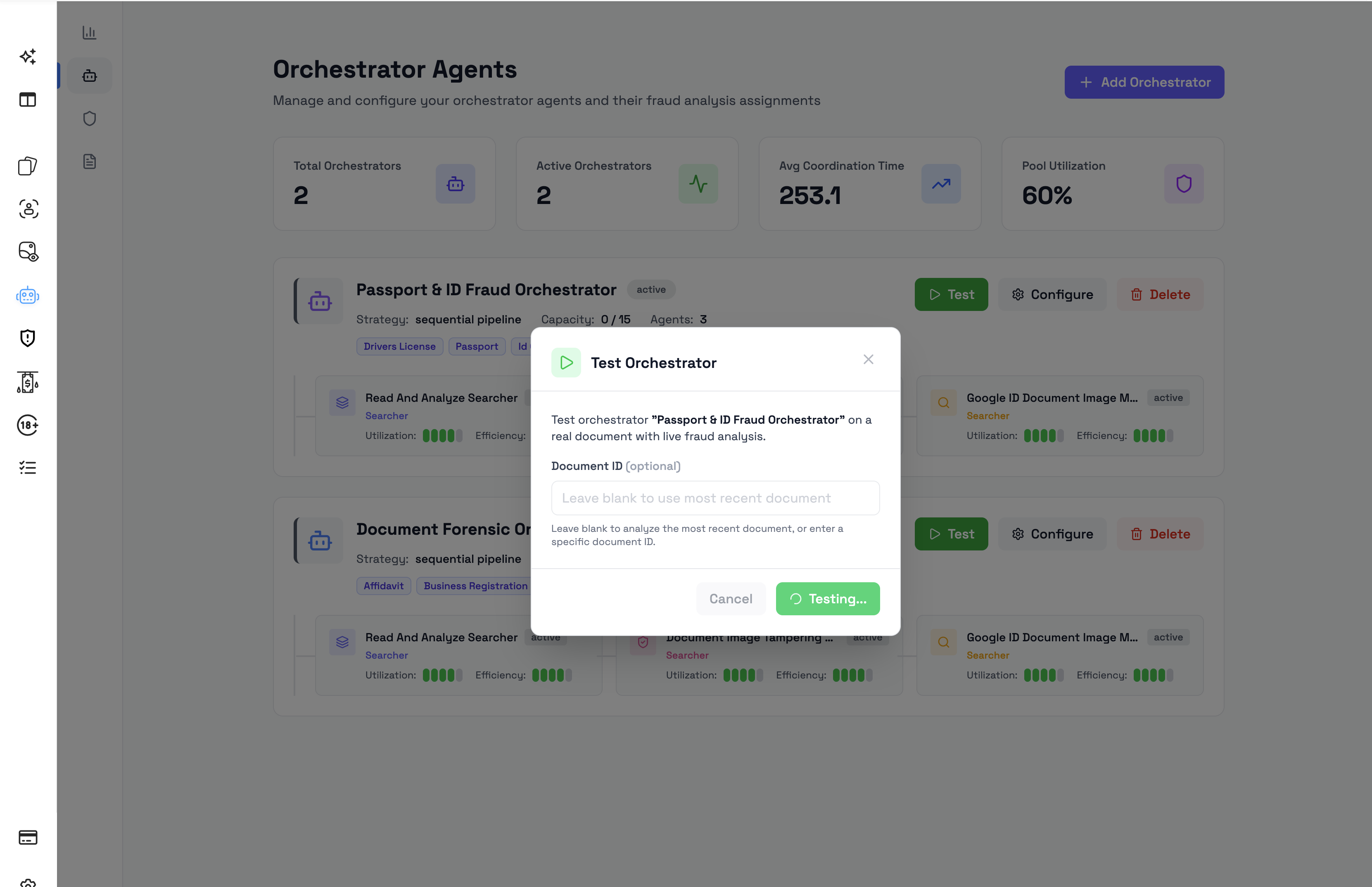
After setup is complete, Agentic Fraud Reasoning can run on documents that match the orchestrator configuration.
Depending on your workspace setup, analysis may run automatically or be triggered manually.
When analysis runs, Bynn reviews the document and produces a fraud reasoning result for admins to review.
Step 12: Review the result
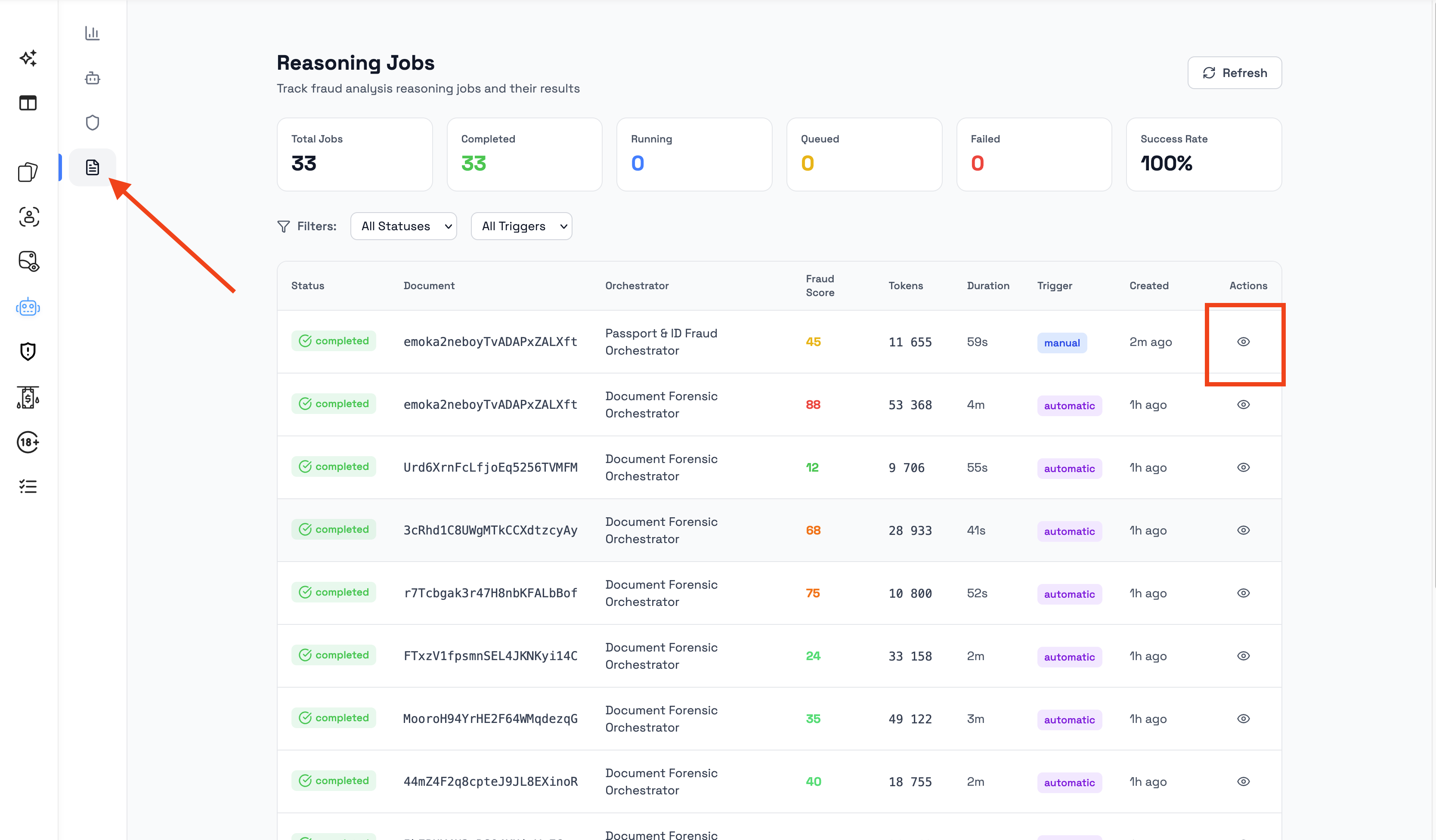
After analysis completes, open the document detail view to review the fraud reasoning result.
A completed result can include:
- Fraud Score
- Decision
- Confidence
- Reasoning
- Red Flags
- Evidence
- Recommendations
- Operator Summary
Use the result to understand the fraud risk and decide whether the document should be accepted, rejected, or reviewed manually.
Next steps
After completing the quick start, continue to:
- Orchestrator Agents — Learn how orchestrators are configured and managed.
- Fraud Analysis Agents — Learn how to add, create, and assign agents.
- Running fraud analysis — Learn when analysis runs and what admins see during processing.
- Viewing fraud analysis results — Learn where results appear in the dashboard.
- Understanding fraud analysis results — Learn how to interpret score, decision, confidence, red flags, and evidence.
Updated 3 months ago