
Fraud Detection
About Fraud Detection
The Fraud Detection node is used to check documents for fraud within a workflow.
It analyzes uploaded documents and returns a fraud result that can be used to route the workflow through different paths. Bynn’s broader fraud detection system uses multiple analysis layers, including AI-powered document analysis, metadata examination, PDF version analysis, barcode and code validation, digital signature verification, AI-generated or manipulated content detection, and blacklist or dataset verification. Bynn Documentation
How Fraud Detection works
When the workflow reaches this node, the document is checked and assigned a fraud result based on the configured thresholds.
That result can then be used to continue the workflow through different paths, depending on whether the document is classified as low, medium, or high risk.
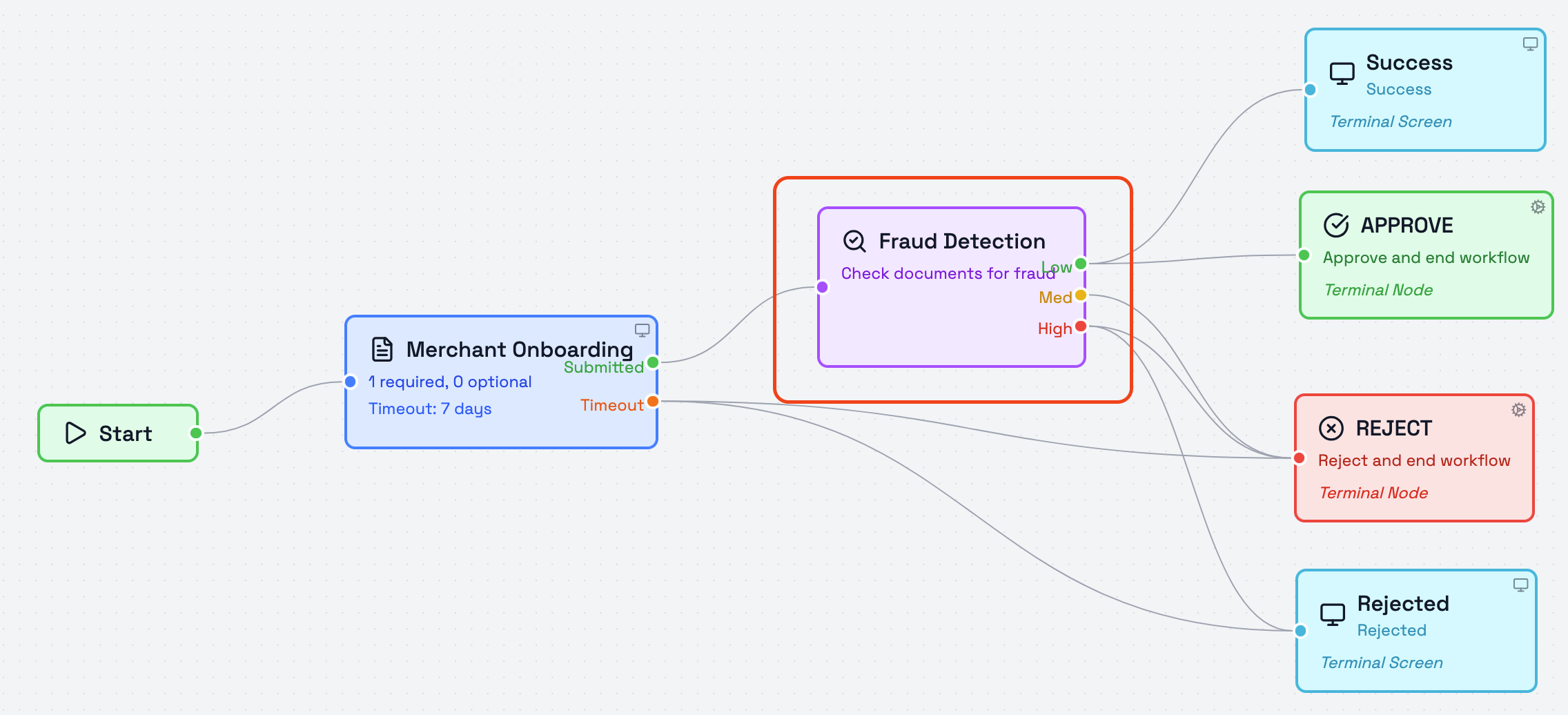
Risk Level Thresholds
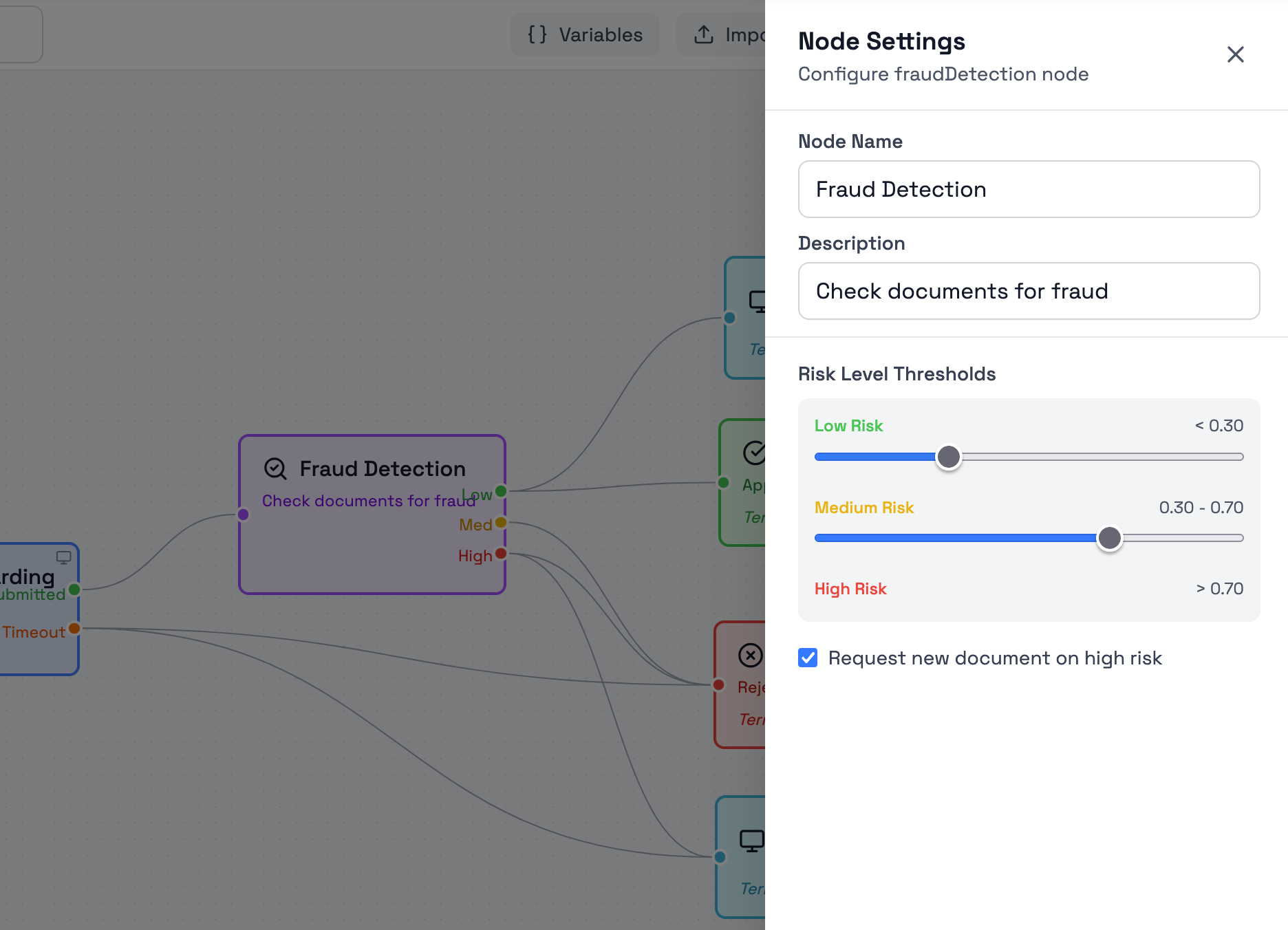
The node uses configurable risk thresholds to determine how the fraud result is classified and which path the workflow should follow next.
Each workflow instance can customize these thresholds. The default thresholds shown in the node settings are:
- Low Risk – score below 0.30
- Medium Risk – score between 0.30 and 0.70
- High Risk – score above 0.70
You can adjust these thresholds in the node settings to match your organization's risk tolerance. The workflow will route through the corresponding path (Low, Medium, or High) based on the calculated fraud score and your configured thresholds.
Request new document on high risk
When this option is enabled, a high-risk result triggers a document resubmission request instead of routing through the High output path. The user receives a prompt to upload a replacement document, and the verification process restarts with the new document.
If this option is disabled, high-risk documents route through the High path for manual review or other downstream handling.
Learn More
For more information about Bynn’s broader document fraud detection capabilities, see:
Updated 4 months ago